Reliable Time Tracking and Daily Workhour Verification
Automate employee clock-in records, track real-time desk and shift arrivals, and eliminate manual register errors across all worksites.
Live screenshot captured directly from the actual AttendanceKart admin portal.
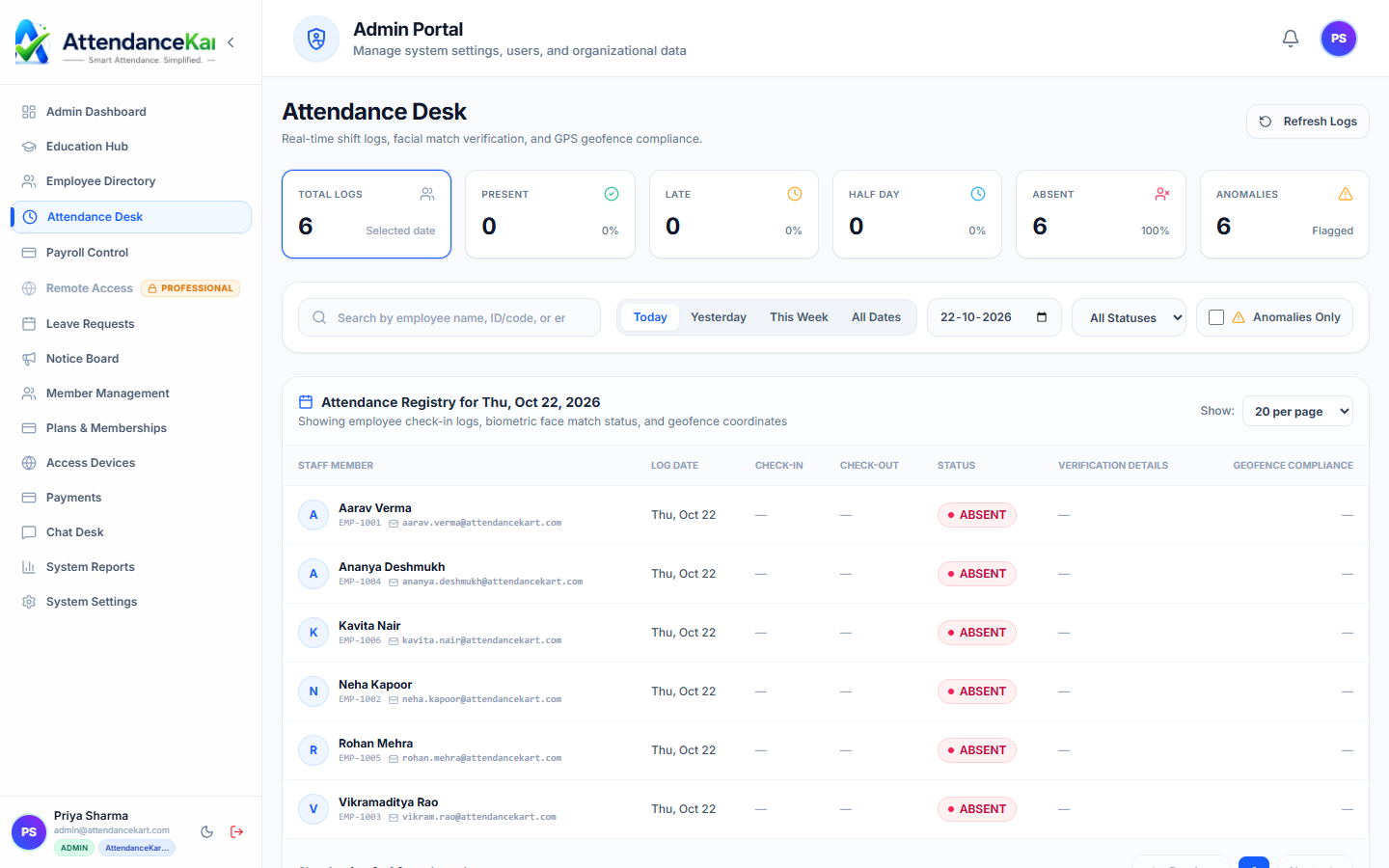
Built for real operations, not theoretical spreadsheets.
Operational challenge:Attendance Tracking captures precise check-in and check-out timestamps, tallies daily work durations, flags late arrivals, and maintains an unalterable digital log for every staff member.
Intended administrators:HR Managers, Operations Supervisors, Branch Administrators, Shift Leaders
Real-Time Punch Logging
Records exact check-in and check-out timestamps across web, mobile, and kiosk entry points.
Automated Workhour Tally
Calculates active hours, break intervals, and net productive time automatically based on clock events.
Late Arrival & Early Exit Flags
Instantly identifies arrivals past designated grace periods without requiring manual supervisor audits.
Unified Attendance Calendar
Provides employees and managers with color-coded monthly calendar views of present, absent, and holiday days.
Explore Attendance Tracking Capabilities
Every feature below links directly to live screens in the AttendanceKart portal.
Live Attendance Desk with Instant Feed
Monitor employee check-ins and check-outs as they happen with millisecond precision, device source identification, and biometric flags.
- Timestamped clock-in and clock-out logs with zero delay
- Visual verification badge for biometric and mobile entries
- Immediate identification of late arrivals, early exits, and anomalies
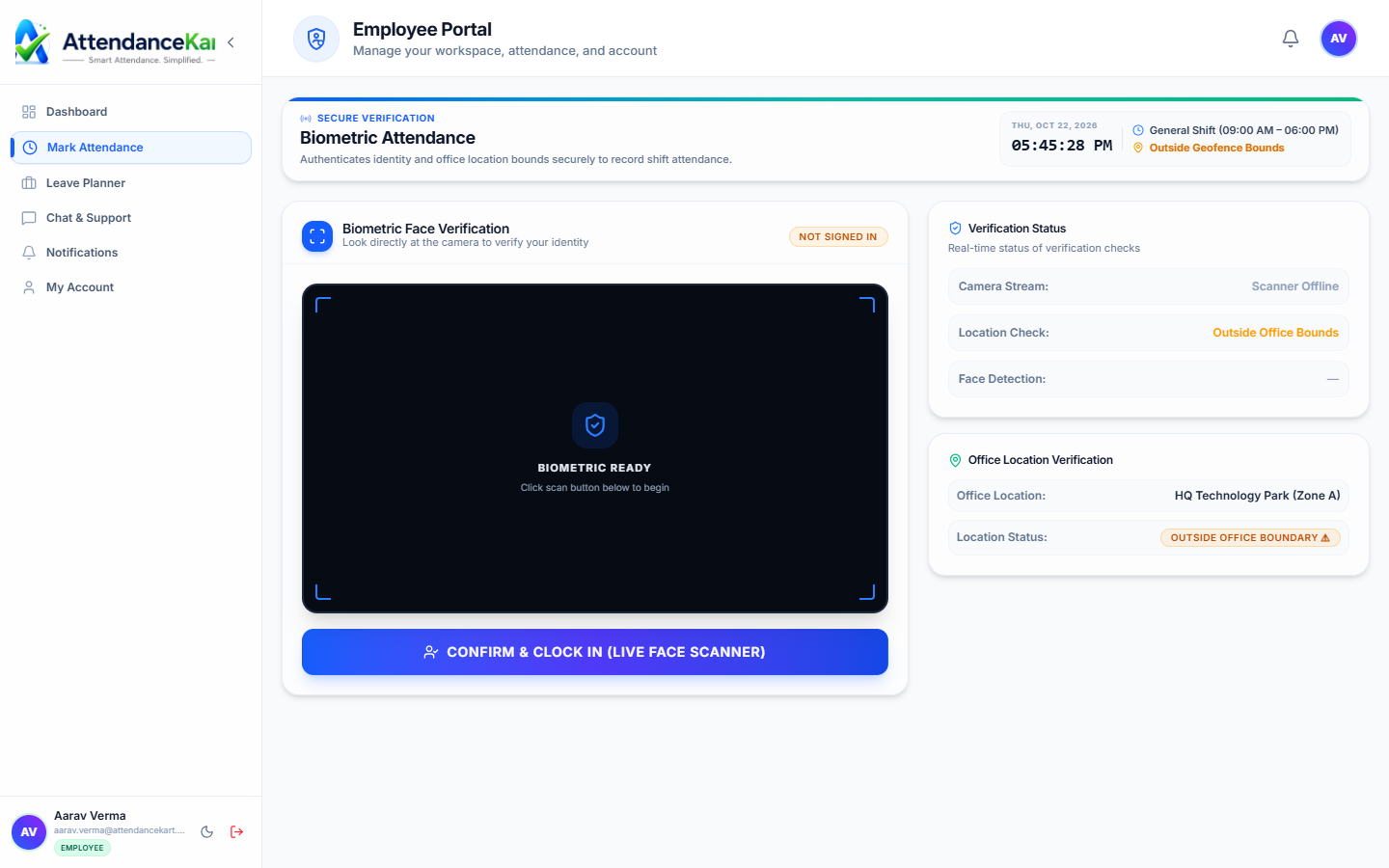
Empower Teams with Mobile Clock-In
Provide field staff and deskless employees with touch-friendly clock-in on iOS and Android with automated location tracking.
- Quick one-tap clock-in with GPS verification
- Instant shift timer and personal daily attendance logs
- Works seamlessly across smartphones and tablets
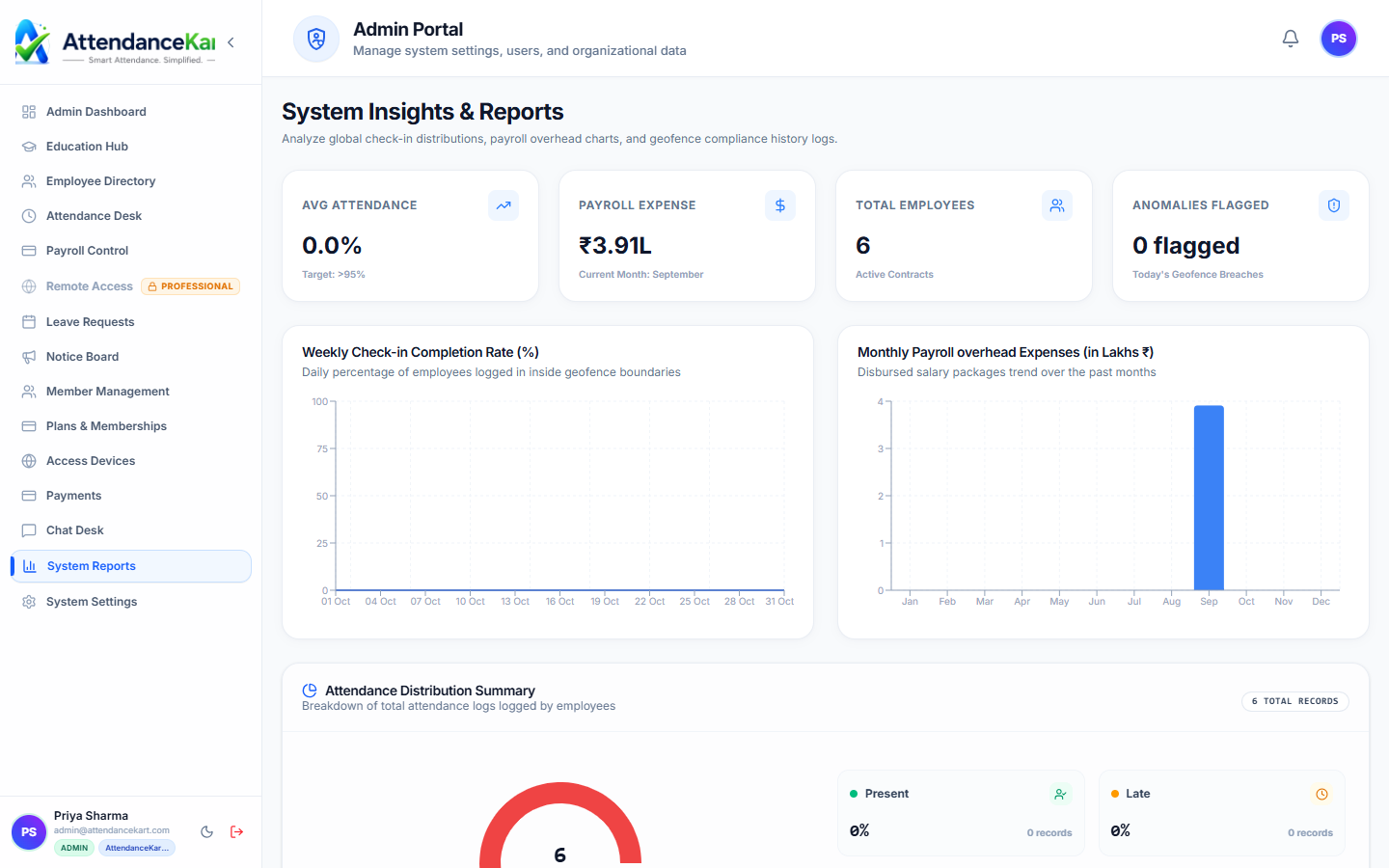
Audit-Ready Reports & Overtime Summaries
Generate comprehensive monthly attendance sheets, muster rolls, and exportable reports for statutory compliance.
- Department-level attendance percentages and trends
- Automated overtime hours calculation
- One-click Excel and PDF muster roll export
How Attendance Tracking Operates
Designed to eliminate manual overhead and maintain flawless operational records.
Employee Clocks In
The employee opens the AttendanceKart portal or mobile interface and registers their daily arrival.
System Validates Timestamp
The platform checks the assigned shift schedule, grace minutes, and permitted location parameters.
Live Ledger Updates
Attendance state is instantly reflected in the manager dashboard and the employee personal calendar.
Monthly Summary Closes
At month-end, verified days automatically feed into salary calculations and absence reports.
Benefits for Your Organization
Direct operational improvements backed by automated record-keeping.
Operational Benefit 01
Eliminates lost timesheets and manual transcription errors.
Operational Benefit 02
Gives managers live visibility into who is on-site at any moment.
Operational Benefit 03
Provides employees with an indisputable record of their hours.
Operational Benefit 04
Prevents month-end attendance disputes through transparent daily logs.
Connected to Attendance Tracking
AttendanceKart works as an integrated suite. Discover other modules that expand your setup.
Frequently Asked Questions about Attendance Tracking
Realistic answers based on actual software capabilities and deployment options.
Can employees view their own daily attendance records?
Yes. Each employee has self-service access to view their clock-in history, total hours, and monthly attendance calendar.
What happens if an employee forgets to clock out?
The system flags an incomplete punch and allows the employee to submit an attendance regularization request with supervisor approval.
Does the module work across multiple physical branches?
Yes. Attendance records are categorized by branch and department, enabling both local supervisors and central HR to review logs.
Deploy Attendance Tracking for your organization
Experience real-time verification, transparent records, and seamless operations firsthand.