Visual Leave Balances and Multi-Tier Approval Workflows
Streamline paid time off, sick leave, and casual leave with real-time balance donuts, team leave calendars, and automated salary deductions.
Live screenshot captured directly from the actual AttendanceKart admin portal.
Built for real operations, not theoretical spreadsheets.
Operational challenge:Leave Management manages employee leave categories, accruals, applications, manager reviews, and holiday schedules in one centralized platform.
Intended administrators:HR Directors, Team Leads, Payroll Specialists, All Employees
Visual Donut Balances
Interactive graphical breakdown of Casual, Sick, Earned, and Unpaid leave allocations and consumption.
Multi-Level Approval Hierarchy
Route requests through reporting leads, department heads, and HR officers sequentially.
Half-Day & Custom Durations
Support for First Half, Second Half, and multi-day leave ranges.
Holiday Calendar Integration
Configurable company holiday schedules automatically exclude non-working days from leave deduction.
Explore Leave Management Capabilities
Every feature below links directly to live screens in the AttendanceKart portal.
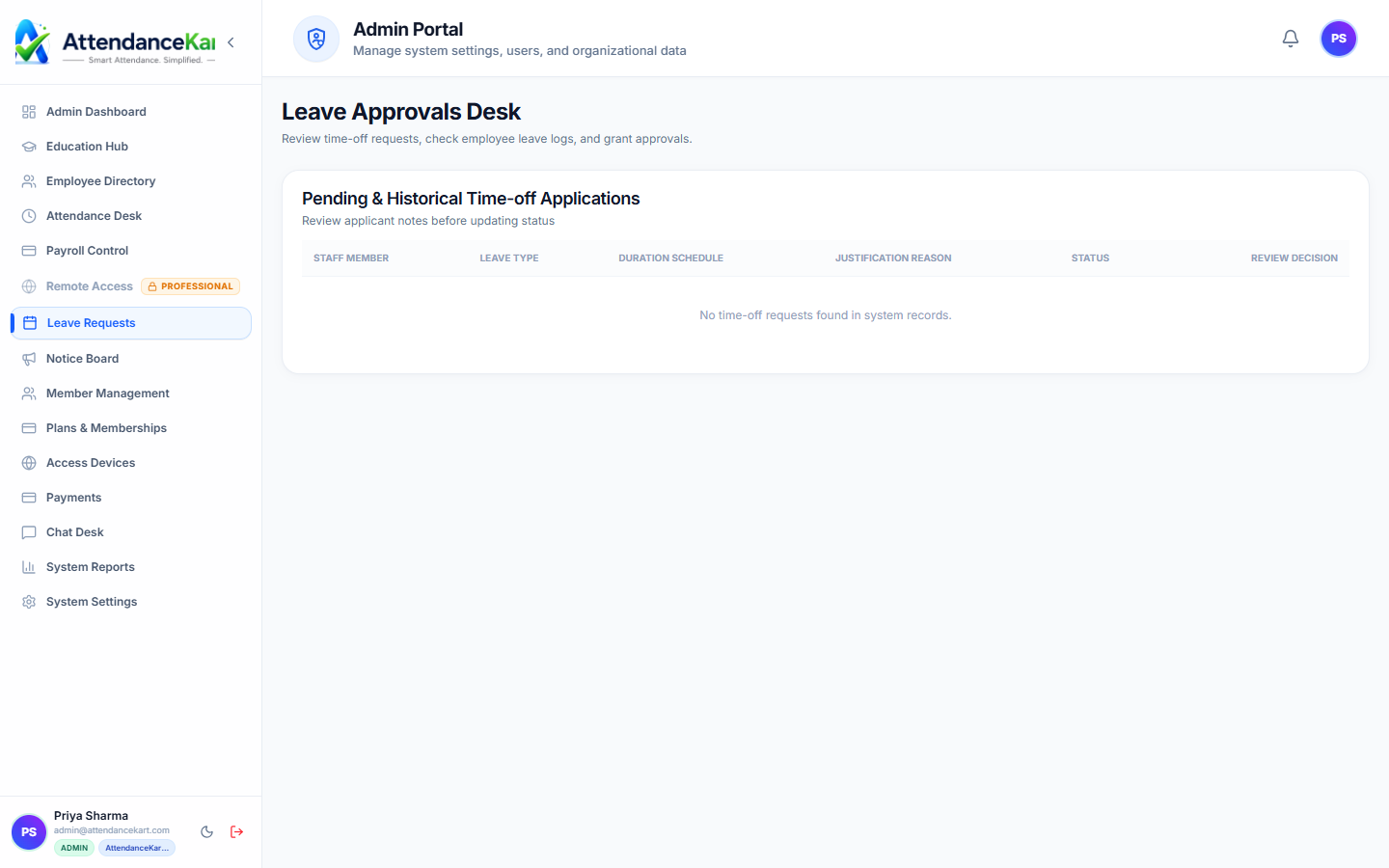
Fast, Transparent Leave Approval Queue
HR managers and team leads can review pending leave applications with employee leave balances displayed side-by-side.
- One-click approve or reject with manager comments
- Real-time remaining quota check to prevent over-allocation
- Complete audit trail with timestamps and reviewer IDs
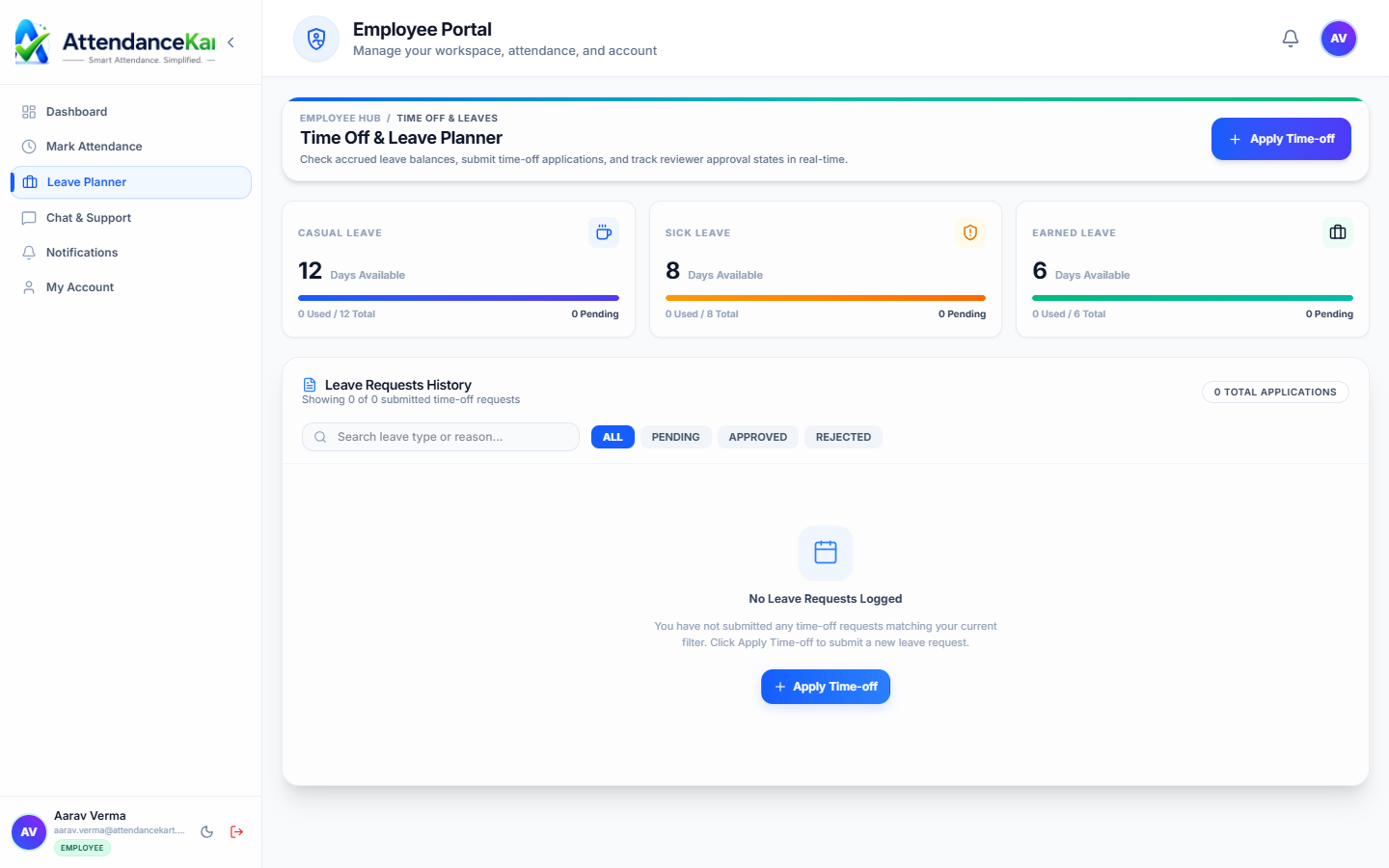
Transparent Employee Balance Portal
Employees can check accrued, consumed, and remaining balances across Casual, Sick, and Earned leaves before applying.
- Visual balance cards updated automatically with attendance
- Instant submission with date picker and reason field
- Real-time status updates from Pending to Approved
Auto-Sync with Monthly Payroll Computation
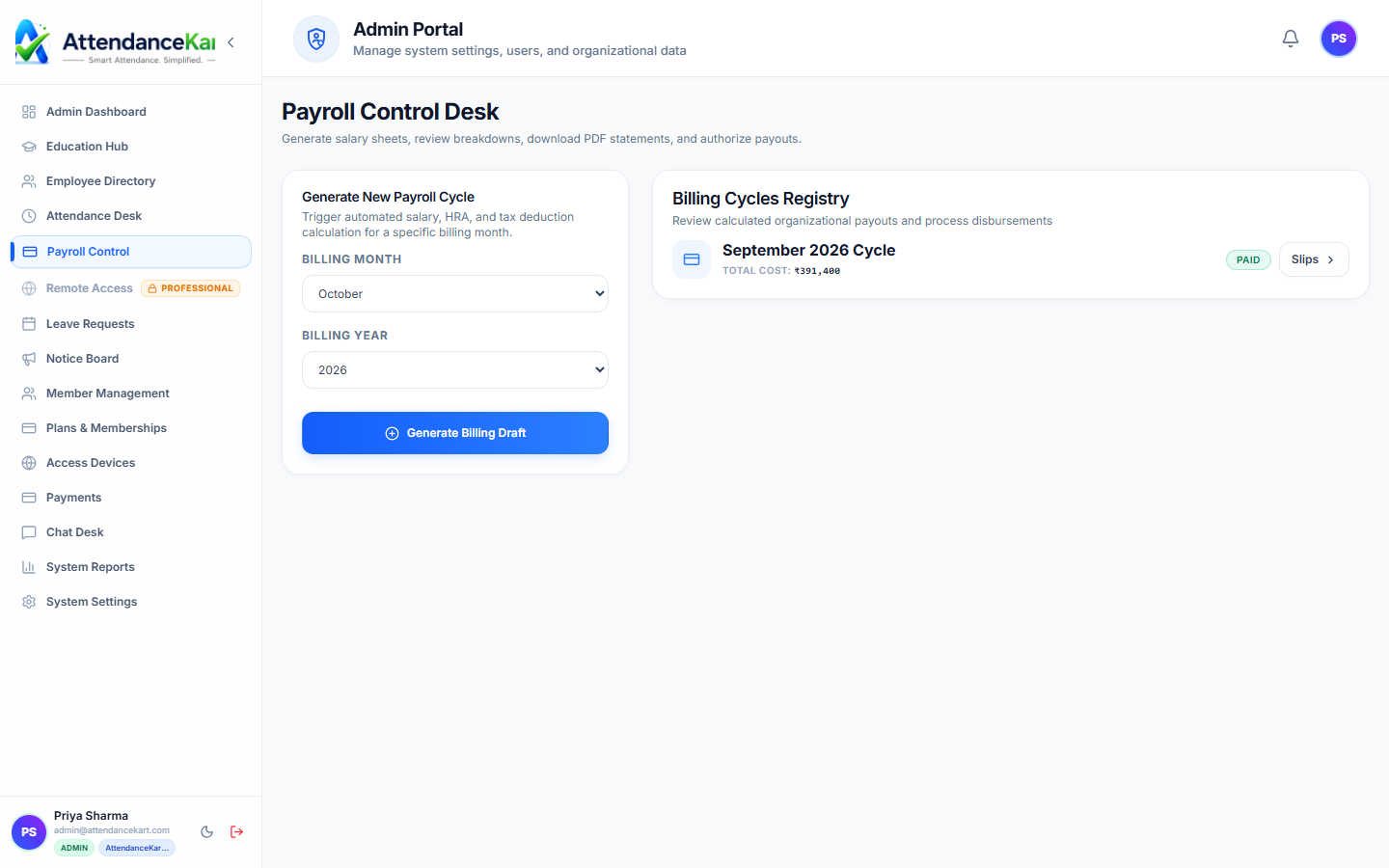
Approved paid leaves protect employee pay, while unpaid leaves automatically deduct from gross monthly calculations.
- Seamless loss-of-pay (LOP) deduction calculations
- Zero manual spreadsheets or reconciliation errors
- Synchronized attendance registers for month-end close
How Leave Management Operates
Designed to eliminate manual overhead and maintain flawless operational records.
Check Balances
Employee reviews available leave quotas on their dashboard donut chart.
Submit Application
Selects leave type, start/end dates, half-day options, and attaches medical or travel notes.
Manager Evaluation
The supervisor reviews the request alongside department overlap on the team calendar.
Ledger Updated
Approved days deduct from the quota and sync into attendance calendars and payroll.
Benefits for Your Organization
Direct operational improvements backed by automated record-keeping.
Operational Benefit 01
Gives employees instant clarity on remaining leave days without emailing HR.
Operational Benefit 02
Prevents departmental under-staffing through team calendar visibility during approvals.
Operational Benefit 03
Eliminates end-of-month payroll confusion over unpaid versus approved leaves.
Operational Benefit 04
Standardizes leave policies across all branch locations.
Connected to Leave Management
AttendanceKart works as an integrated suite. Discover other modules that expand your setup.
Frequently Asked Questions about Leave Management
Realistic answers based on actual software capabilities and deployment options.
Can admins set different leave quotas for different employee levels?
Yes. Leave policies can be configured with specific entitlements based on employee role or tenure.
Are public holidays counted against an employee leave balance?
No. The system automatically skips declared company holidays and weekends within a requested date range.
Can employees cancel a submitted leave request?
Employees can withdraw pending requests, or request cancellation of approved leaves subject to supervisor consent.
Deploy Leave Management for your organization
Experience real-time verification, transparent records, and seamless operations firsthand.