Manage Leave and Shifts Effortlessly
Harmonize Dynamic Shift Rosters with Transparent Leave Policies — Ensure continuous operational coverage by connecting multi-shift schedules with visual leave balance donuts and fast manager approval workflows.
Live screenshot captured directly from the actual AttendanceKart admin portal.
Built for real operations, not theoretical spreadsheets.
Operational challenge:Short-staffed shifts caused by uncoordinated leave approvals, confusion over rotational schedules, and employee uncertainty over remaining leave days.
Intended administrators:Give employees clear visual leave donuts, display team calendars during approval reviews to prevent overlap, and maintain rotating shifts with automated grace rules.
Visual Leave Balance Donuts
Instant graphic breakdown of allocated, consumed, and remaining leave days per category.
Multi-Tier Review Steppers
Route requests through line leads, department heads, and HR officers sequentially.
Rotational Shift Support
Easily rotate teams between day, evening, and night shifts with clear advance calendar views.
How AttendanceKart Powers Manage Leave and Shifts Effortlessly
Inspect genuine administrative controls and telemetry built for reliable operations.
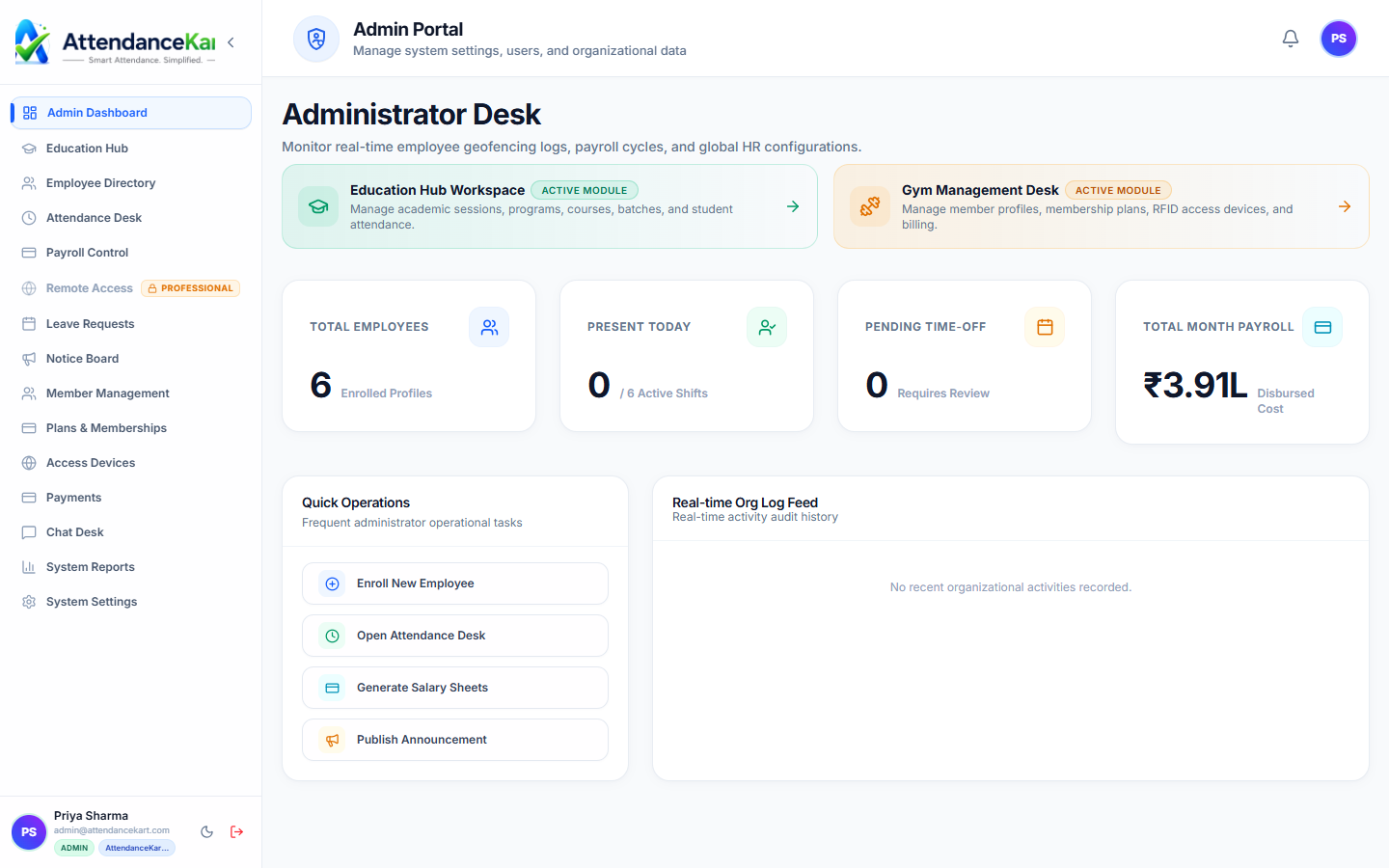
Unified Operational Dashboard
Gain total visibility over attendance records, workforce distribution, and shift adherence.
- Real-time workforce presence indicators
- Department-level attendance breakdown
- Quick access to core operational modules
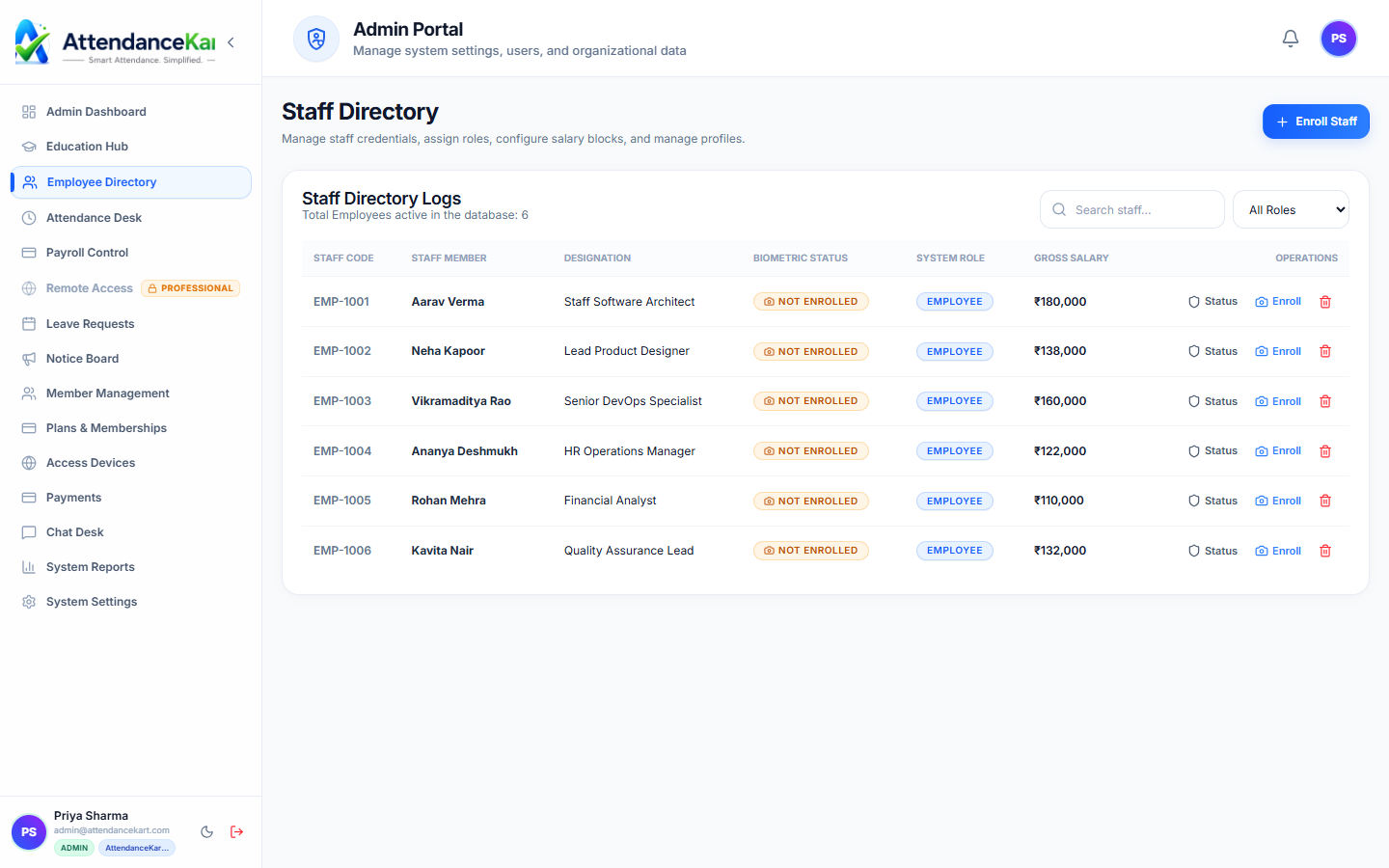
Staff Management & Role Assignment
Manage staff credentials, biometric enrollment, and compensation structures.
- Centralized staff repository with role definitions
- Biometric status badges for secure access
- Filter by role, department, or location
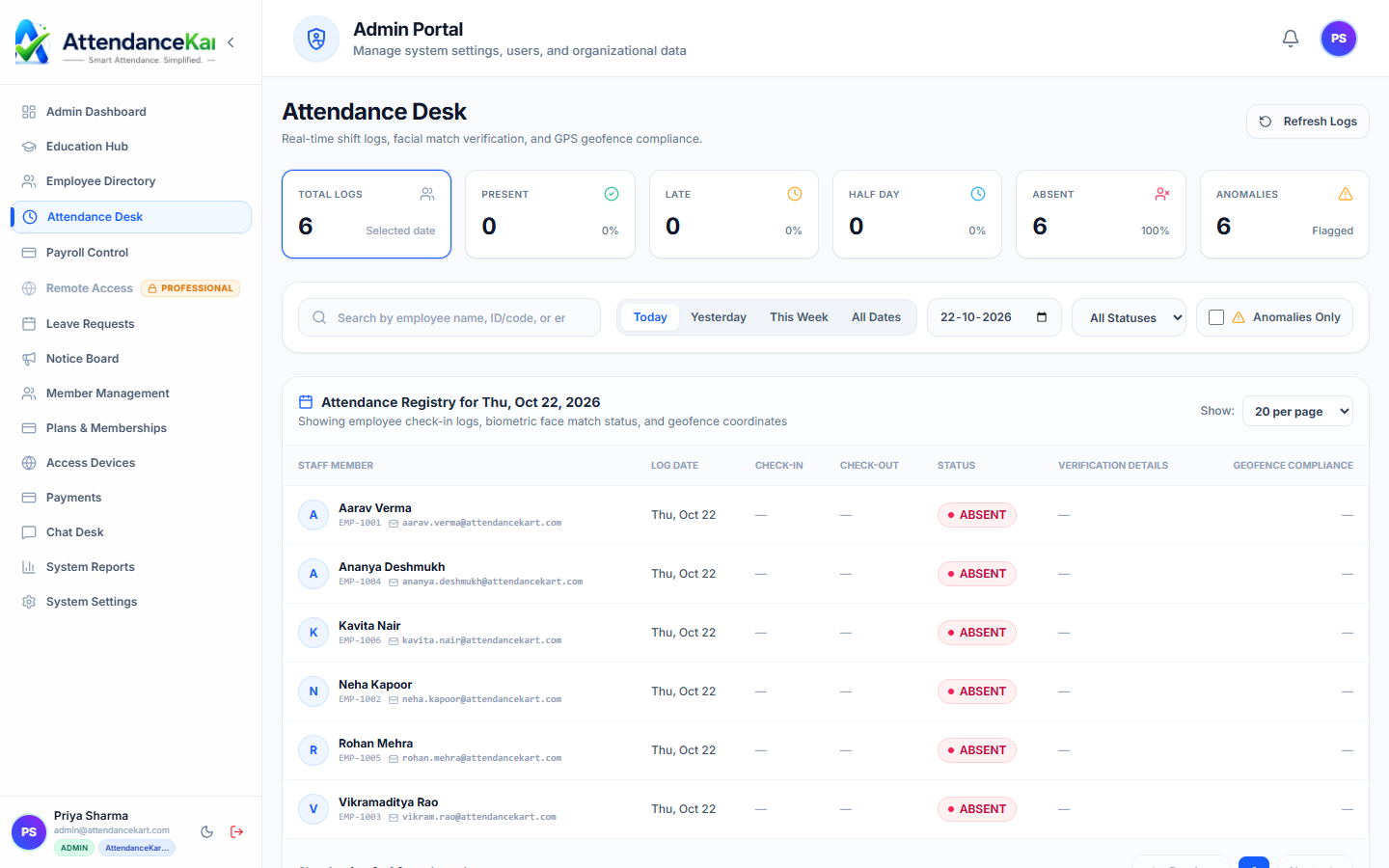
Live Attendance Desk & Audit Logs
Process and verify punches with timestamps and tamper-evident audit trails.
- Precise clock-in and clock-out logs
- Biometric and GPS verification flags
- Exportable reports for payroll
How the Solution Operates
From policy setup to verified day-to-day attendance logging.
Set Shift & Leave Policies
Configure shift templates, grace minutes, and annual leave quotas (Casual, Sick, Earned).
Publish Team Rosters
Supervisors assign employees to morning, evening, or rotational shift schedules.
Transparent Leave Requests
Staff check donut balances and apply; managers review against department coverage before approving.
Synchronized Operations
Approved leaves automatically update shift rosters and prevent scheduling conflicts.
Connected Platform Modules
This solution leverages the following core AttendanceKart modules.
Leave Management
ModuleDedicated AttendanceKart operational module powering Manage Leave and Shifts Effortlessly.
Shift Scheduling
ModuleDedicated AttendanceKart operational module powering Manage Leave and Shifts Effortlessly.
Remote Work Permits
ModuleDedicated AttendanceKart operational module powering Manage Leave and Shifts Effortlessly.
Frequently Asked Questions about Manage Leave and Shifts Effortlessly
Realistic answers based on actual software capabilities and deployment options.
Can supervisors see if multiple team members requested leave on the same day?
Yes. The approval screen displays a team overlap calendar showing who else is scheduled off on the requested dates.
Can employees request shift swaps with colleagues?
Supervisors can adjust shift assignments dynamically based on employee requests or operational needs.
Ready to deploy AttendanceKart for manage leave and shifts effortlessly?
Speak with an operations specialist to design a rollout tailored to your team structure.