Multi-Shift Roster Management and Rotational Calendars
Build transparent weekly rosters, define grace periods and break rules, and keep 24/7 operations running smoothly.
Live screenshot captured directly from the actual AttendanceKart admin portal.
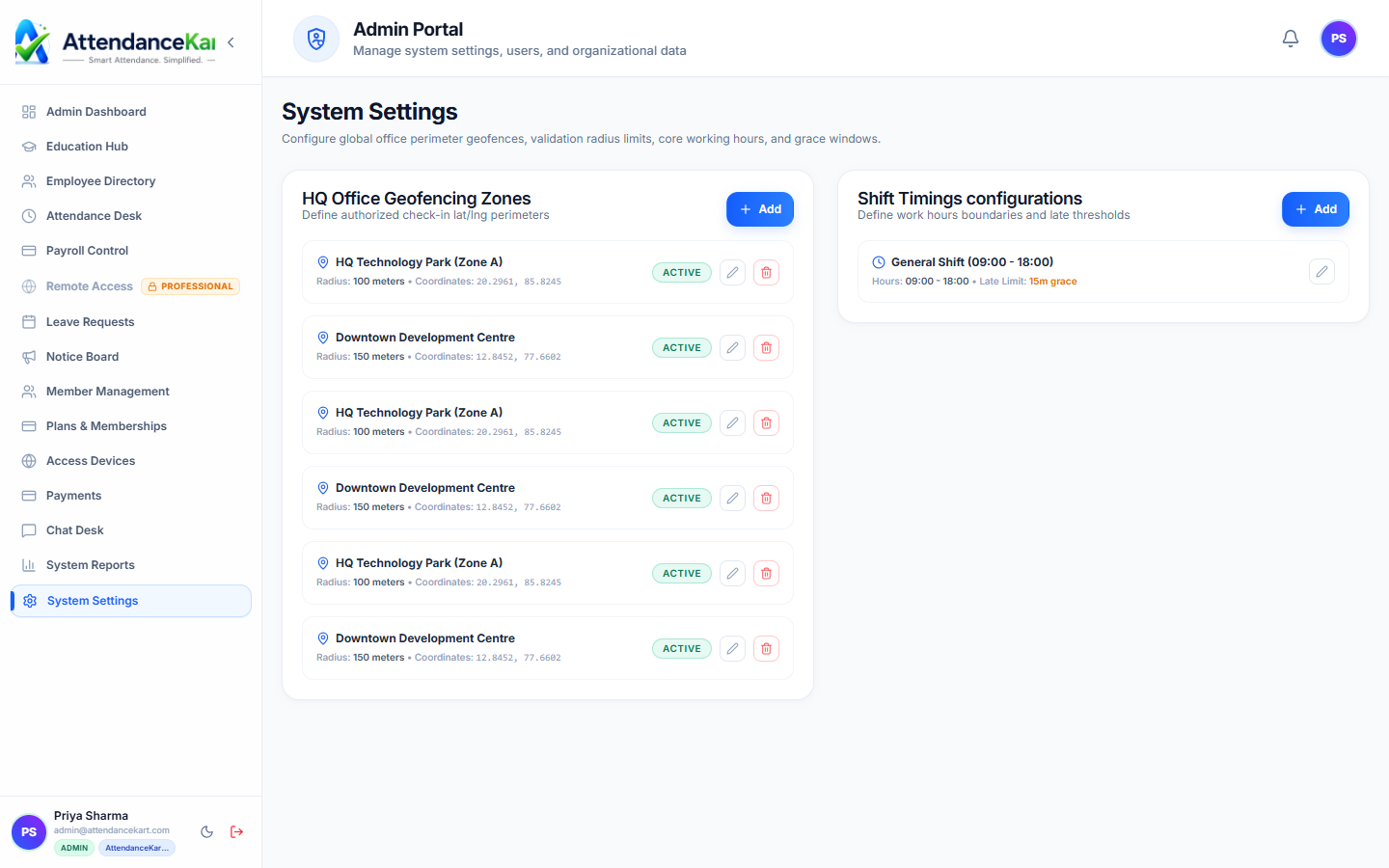
Built for real operations, not theoretical spreadsheets.
Operational challenge:Shift Scheduling lets managers configure custom work hours, assign recurring shift rosters to departments or individuals, and detect early departures or late arrivals automatically.
Intended administrators:Manufacturing Units, 24/7 Support Desks, Retail Showrooms, Hospitality Staff
Custom Shift Templates
Define Morning, Afternoon, Night, and General shifts with flexible start, end, and half-day rules.
Configurable Grace Periods
Set allowable late-in grace minutes before the punch is flagged as a tardy arrival.
Department Roster Assignment
Assign whole teams or specific individuals to weekly or monthly rotating schedules.
Shift Anomaly Detection
Automatically flags unscheduled punches, missed shifts, and early check-outs against the scheduled roster.
Explore Shift Scheduling Capabilities
Every feature below links directly to live screens in the AttendanceKart portal.
Customizable Shift Timing & Grace Rules
Configure standard day shifts, night shifts, rotational rosters, and arrival grace periods to match your exact work culture.
- Configurable clock-in windows, half-day cutoffs, and late thresholds
- Grace period allowances to accommodate transit variations
- Department-level shift overrides and holiday calendar binding
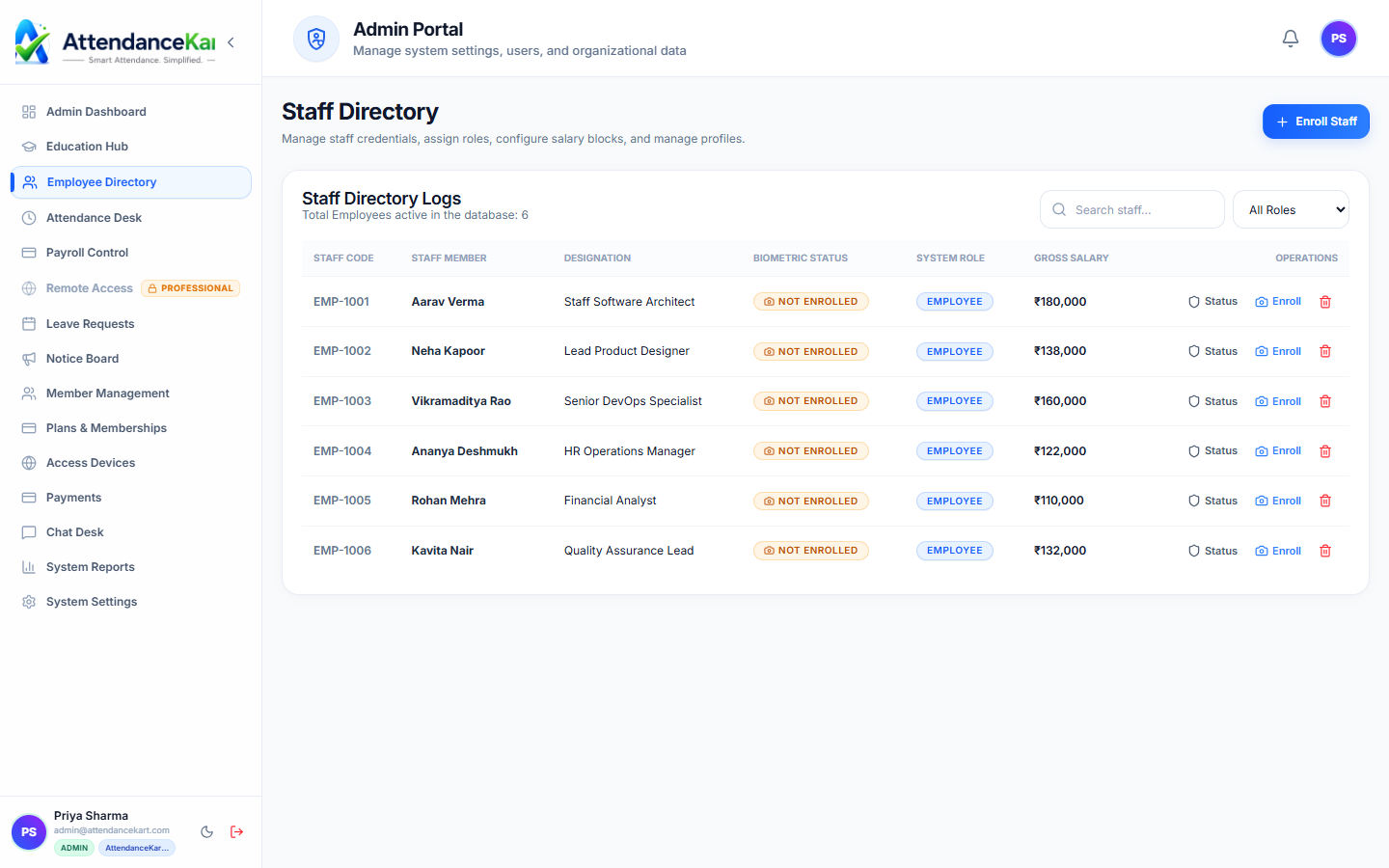
Staff Assignment Across Rotational Shifts
Assign shifts to individuals, teams, or entire departments in seconds through the centralized staff directory.
- Clear designation of staff roles and assigned shifts
- Instant visibility of team coverage across morning, general, and night shifts
- Notifications sent to staff when shift schedules change
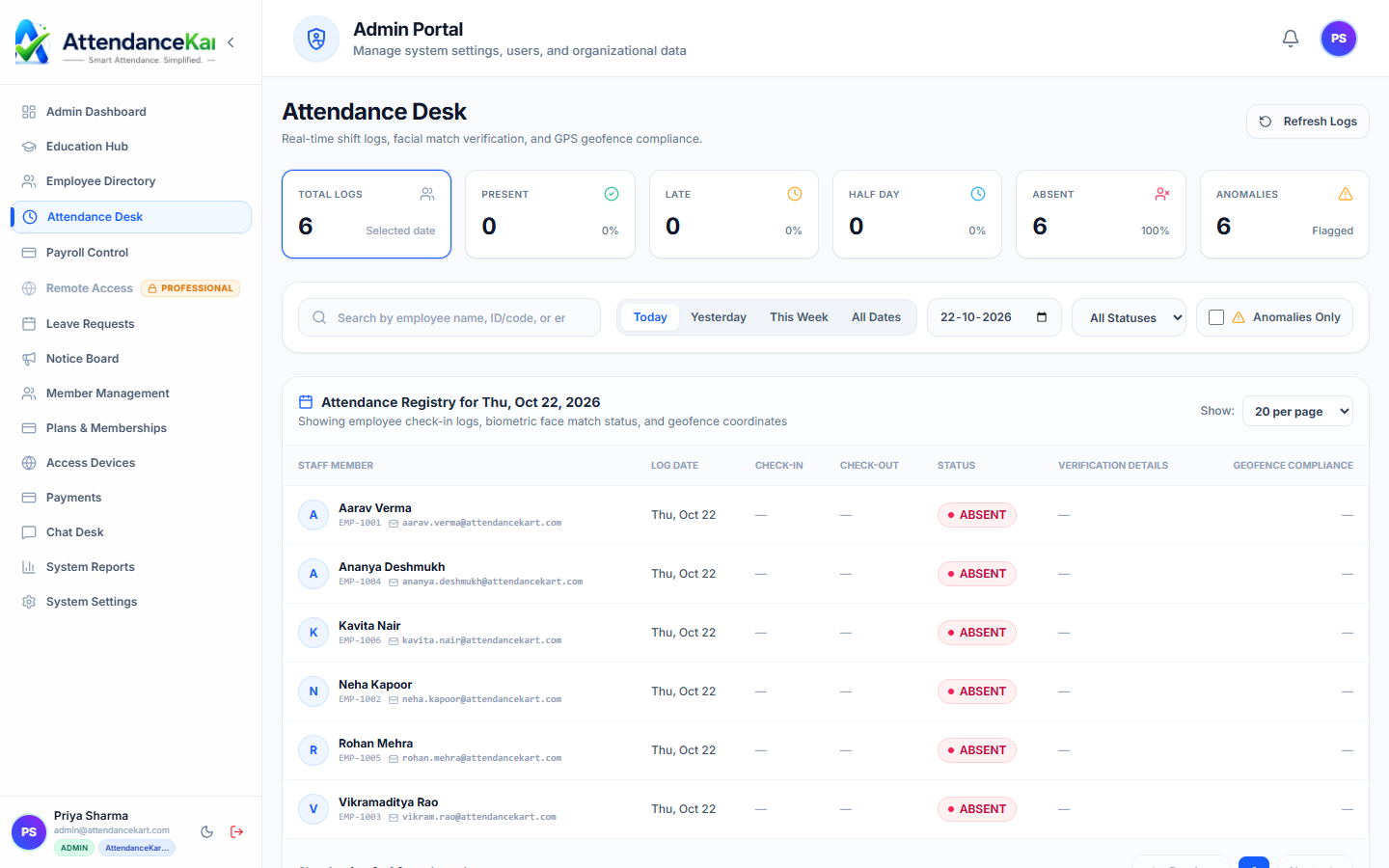
Real-Time Shift Adherence Monitoring
Compare actual check-in timestamps against scheduled shift start times directly on the attendance desk.
- Automated late arrival and early exit identification
- Overtime logging for shifts exceeding standard hours
- Direct feeds into monthly shift compliance reports
How Shift Scheduling Operates
Designed to eliminate manual overhead and maintain flawless operational records.
Create Shift Patterns
Admin configures hours, grace windows, and overnight shift flags for the facility.
Publish Weekly Rosters
Supervisors map employees to shifts on an interactive roster grid.
Employees Receive Schedule
Staff view upcoming shift assignments on their self-service portal.
Automatic Comparison
Daily punch times are evaluated against the assigned shift schedule to calculate adherence.
Benefits for Your Organization
Direct operational improvements backed by automated record-keeping.
Operational Benefit 01
Prevents under-staffed operational shifts through advance schedule planning.
Operational Benefit 02
Enables fair rotation between day and night shifts across teams.
Operational Benefit 03
Clear grace period policies prevent supervisor favoritism.
Operational Benefit 04
Automated shift comparison ensures payroll receives exact overtime or deficit hours.
Connected to Shift Scheduling
AttendanceKart works as an integrated suite. Discover other modules that expand your setup.
Frequently Asked Questions about Shift Scheduling
Realistic answers based on actual software capabilities and deployment options.
Does the system support overnight shifts that cross midnight?
Yes. AttendanceKart fully supports overnight shifts with automated date roll-forward so punches are attributed to the correct work session.
Can supervisors swap shifts between team members?
Yes. Supervisors can update shift assignments dynamically or approve employee shift change requests.
How do employees know their upcoming shift schedule?
Assigned rosters are displayed directly in the employee portal calendar, showing current and future shift times.
Deploy Shift Scheduling for your organization
Experience real-time verification, transparent records, and seamless operations firsthand.