Location-Bounded Attendance with Radius Verification
Ensure field staff, branch teams, and office employees clock in only from approved geographical boundaries without expensive hardware.
Live screenshot captured directly from the actual AttendanceKart admin portal.
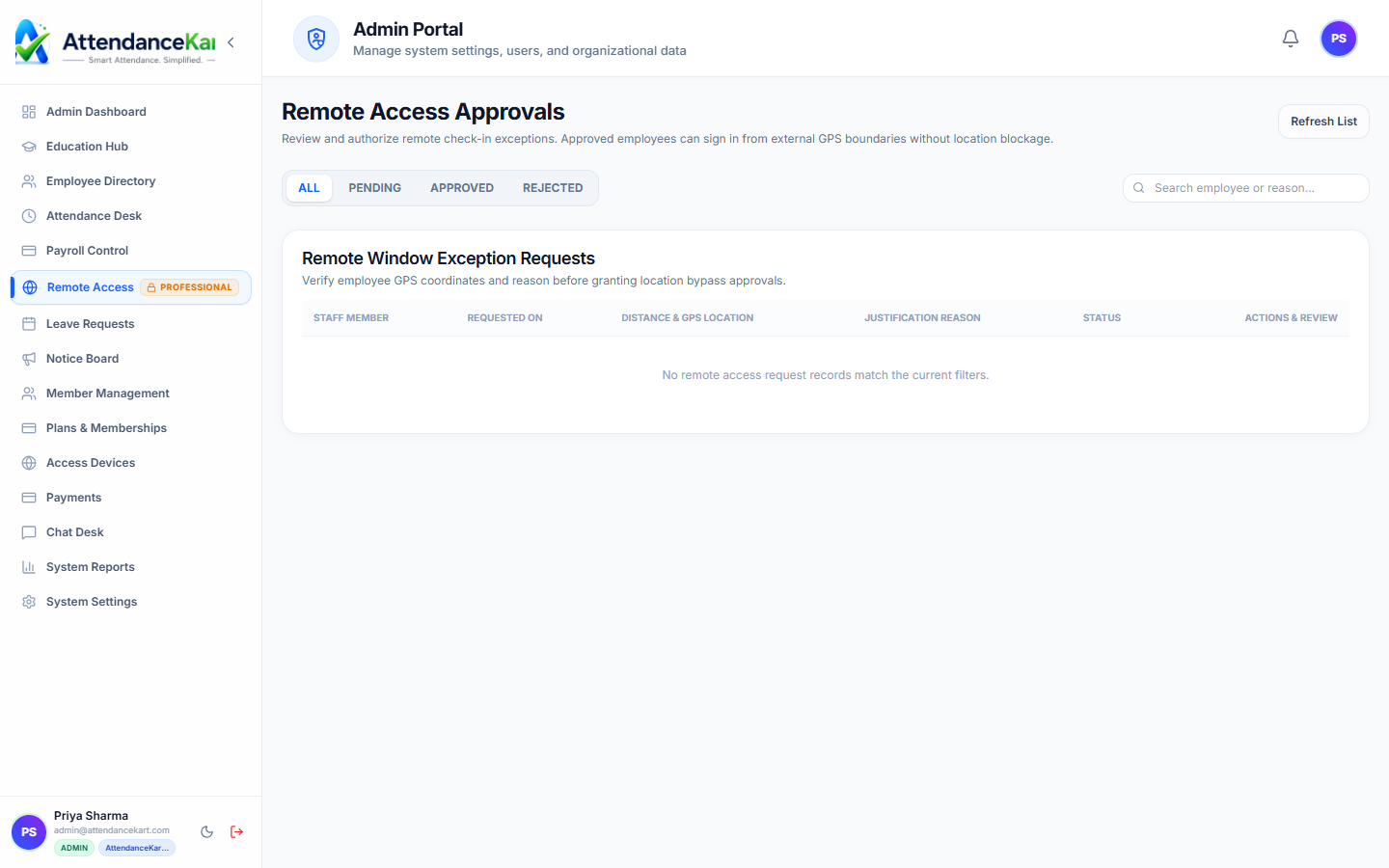
Built for real operations, not theoretical spreadsheets.
Operational challenge:GPS Geofencing defines virtual geographical perimeters around office buildings, construction sites, and client locations to verify physical presence upon check-in.
Intended administrators:Multi-Branch Enterprises, Field Services, Construction & Contracting, Retail Chains
Configurable Office Coordinates
Set latitude, longitude, and customizable boundary radiuses in meters for every company location.
Device Geolocation Capture
Captures high-accuracy GPS coordinates at the exact instant of check-in and check-out.
Out-of-Boundary Rejection
Prevents off-site clock-ins and alerts employees immediately if they are outside the permitted radius.
Multi-Location Office Registry
Supports companies operating across dozens of regional branches, warehouses, or customer sites.
Explore GPS Geofencing Capabilities
Every feature below links directly to live screens in the AttendanceKart portal.
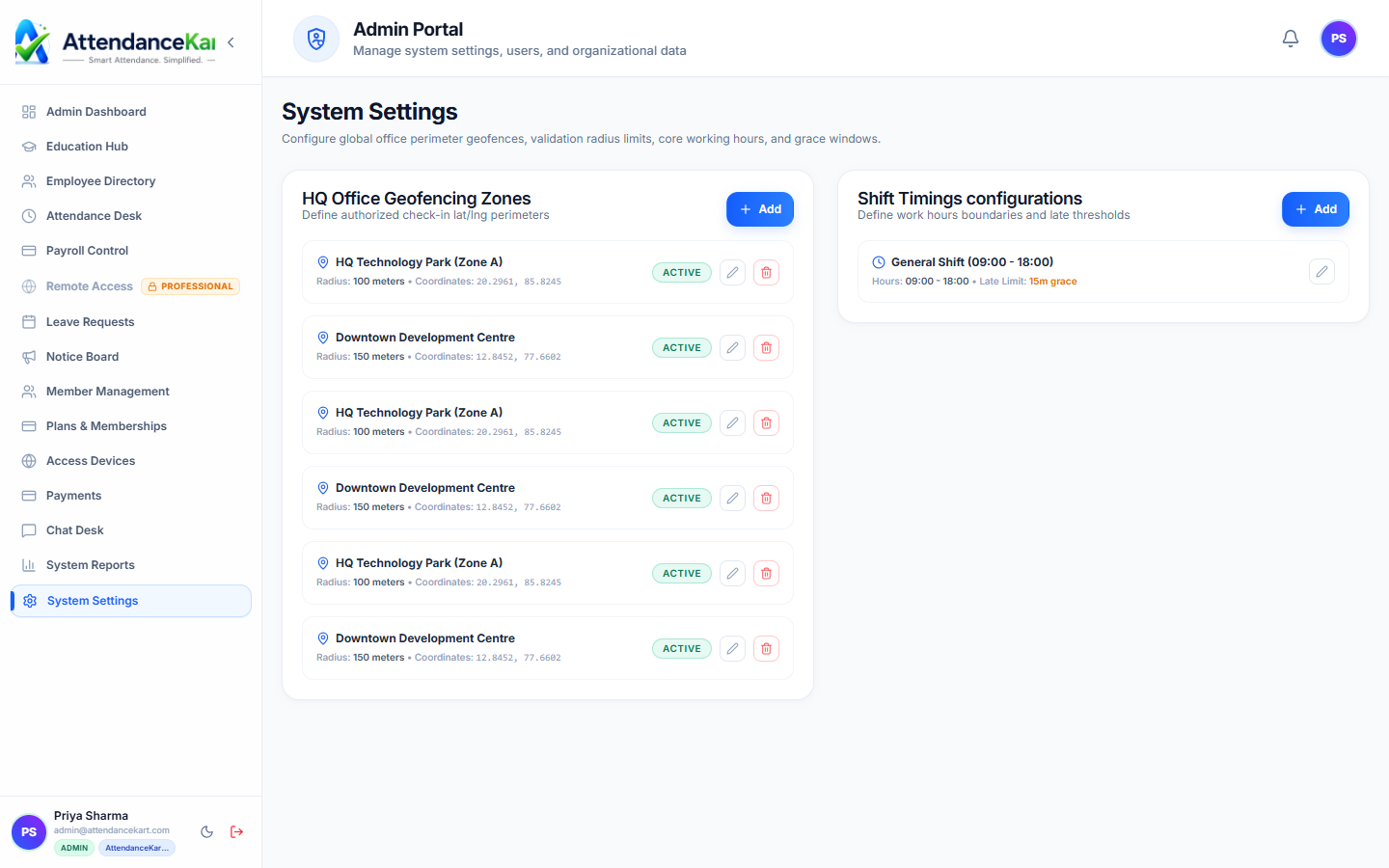
Meter-Level Geofence Boundaries
Define virtual boundaries around your office branches, project sites, or client facilities to guarantee physical presence.
- Customizable radius per office location from 50m to 1000m+
- High-precision GPS coordinates validation on every clock-in
- Automatic prevention of clock-ins outside approved boundaries
Shift Rules Tied to Location Coordinates
Bind specific employee shifts to physical premises to prevent unauthorized off-site shifts or proxy punches.
- Multi-branch policy assignment by department or employee code
- Dynamic grace periods for transit delays and traffic buffers
- Centralized location management from system settings
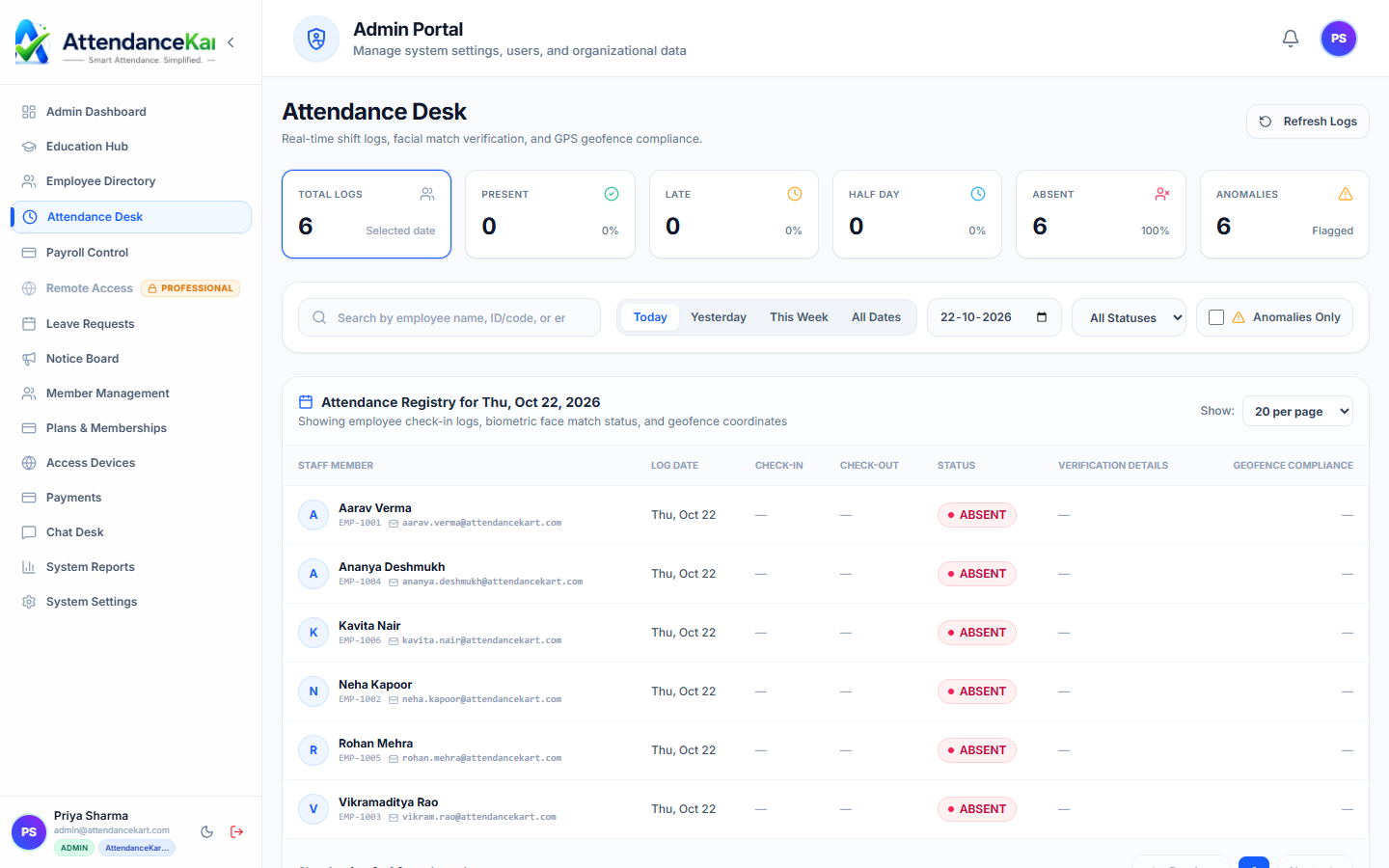
Live Clock-In Desk with Location Status
Supervisors can immediately see the geo-coordinates and location validation tag on every incoming punch.
- Clear visual tags showing approved office branch zone
- Flagged punches for mock locations or VPN anomalies
- Instant export of GPS-tagged punch history
How GPS Geofencing Operates
Designed to eliminate manual overhead and maintain flawless operational records.
Admin Configures Boundary
The administrator sets the worksite address, coordinates, and allowed radius (e.g., 100 meters).
Employee Requests Check-In
The employee taps Check In on their device, triggering a location accuracy check.
Proximity Check Executed
The system computes the distance between the employee and the assigned worksite center.
Verification Completed
If within the geofence, the punch is recorded. If outside, the punch is declined with a clear distance alert.
Benefits for Your Organization
Direct operational improvements backed by automated record-keeping.
Operational Benefit 01
Eliminates off-site check-in cheating without purchasing physical biometric hardware.
Operational Benefit 02
Enables rapid onboarding of new client project sites in seconds.
Operational Benefit 03
Gives regional managers auditable proof of on-site presence.
Operational Benefit 04
Supports roaming field workers across designated authorized work zones.
Connected to GPS Geofencing
AttendanceKart works as an integrated suite. Discover other modules that expand your setup.
Frequently Asked Questions about GPS Geofencing
Realistic answers based on actual software capabilities and deployment options.
Does AttendanceKart track employee location throughout the whole day?
No. Geolocation is checked solely at the instant the employee initiates a punch event to protect personal privacy.
What radius size is recommended for office buildings?
Most standard office locations use a radius between 50 to 150 meters, which comfortably accounts for multi-floor elevation and indoor GPS drift.
Can an employee be assigned to multiple geofences?
Yes. Mobile employees who travel between offices can be authorized for multiple approved worksite perimeters.
Deploy GPS Geofencing for your organization
Experience real-time verification, transparent records, and seamless operations firsthand.