Conflict-Free Weekly Lecture Scheduling and Classroom Allocations
Build grid-based master timetables, schedule lectures and labs, eliminate faculty double-bookings, and publish schedules for campus staff.
Live screenshot captured directly from the actual AttendanceKart admin portal.
Built for real operations, not theoretical spreadsheets.
Operational challenge:Class Timetables & Schedules manages the master weekly schedule for each batch section, coordinating period slots, subject assignments, instructors, and physical classroom allocations.
Intended administrators:Timetable Coordinators, Faculty Members, Department Heads, Students
Weekly Grid Schedule Builder
Visual Monday-through-Saturday period scheduling interface with customizable hour slots.
Conflict Prevention Engine
Instantly alerts coordinators if a faculty member or classroom is double-booked for the same period.
Physical Classroom & Lab Tagging
Assign specific lecture halls, smart classrooms, and computer labs to each session.
Section-Specific Timetables
Generate dedicated schedules for Section A, Section B, and multi-batch elective slots.
Explore Class Timetables & Schedules Capabilities
Every feature below links directly to live screens in the AttendanceKart portal.
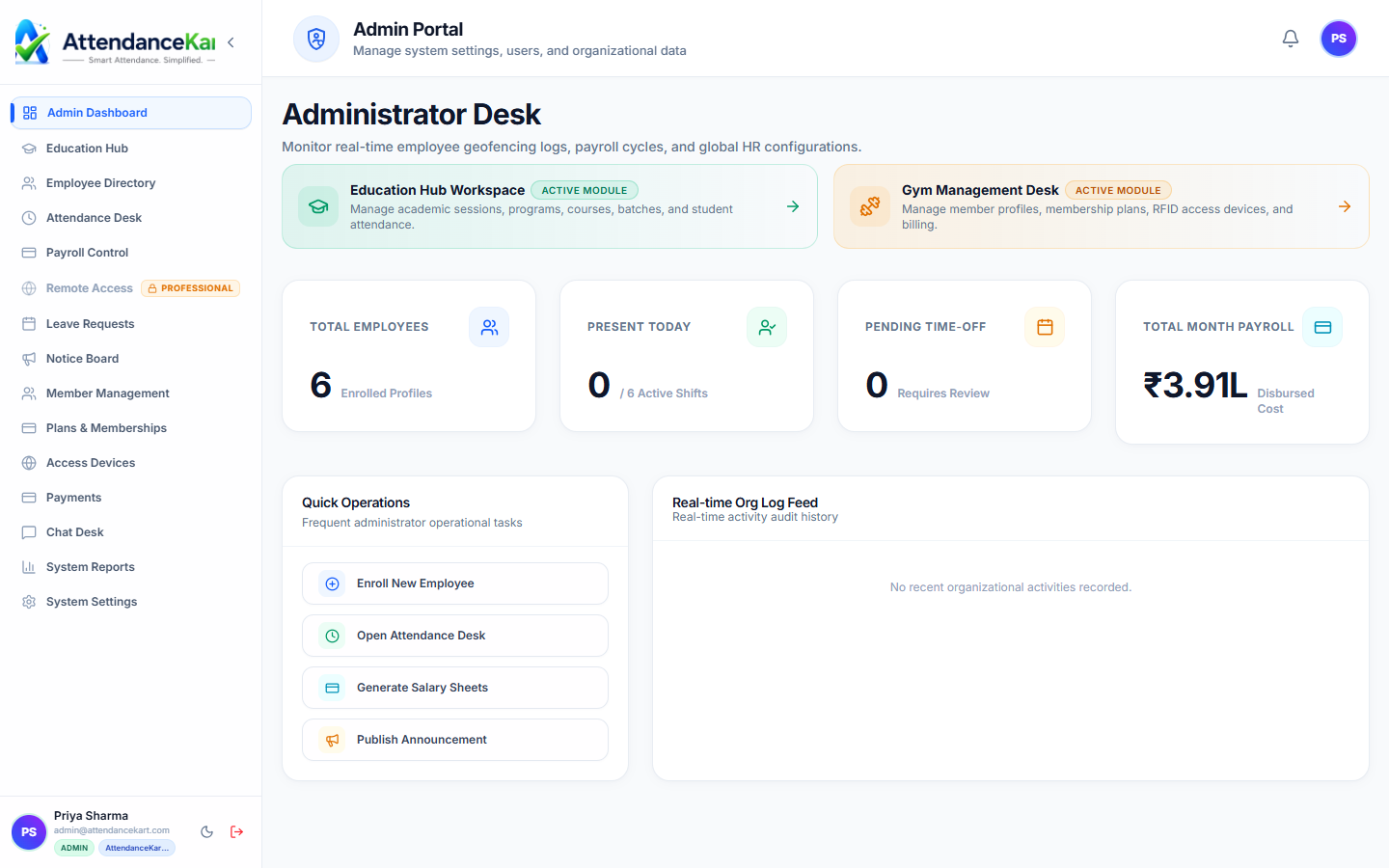
Executive Workforce Operations Dashboard
Gain complete visibility over your organization with real-time telemetry, employee statuses, and shift performance.
- Live workforce indicators and shift adherence metrics
- Department-level distribution and attendance percentages
- Immediate action buttons for pending approvals and notifications
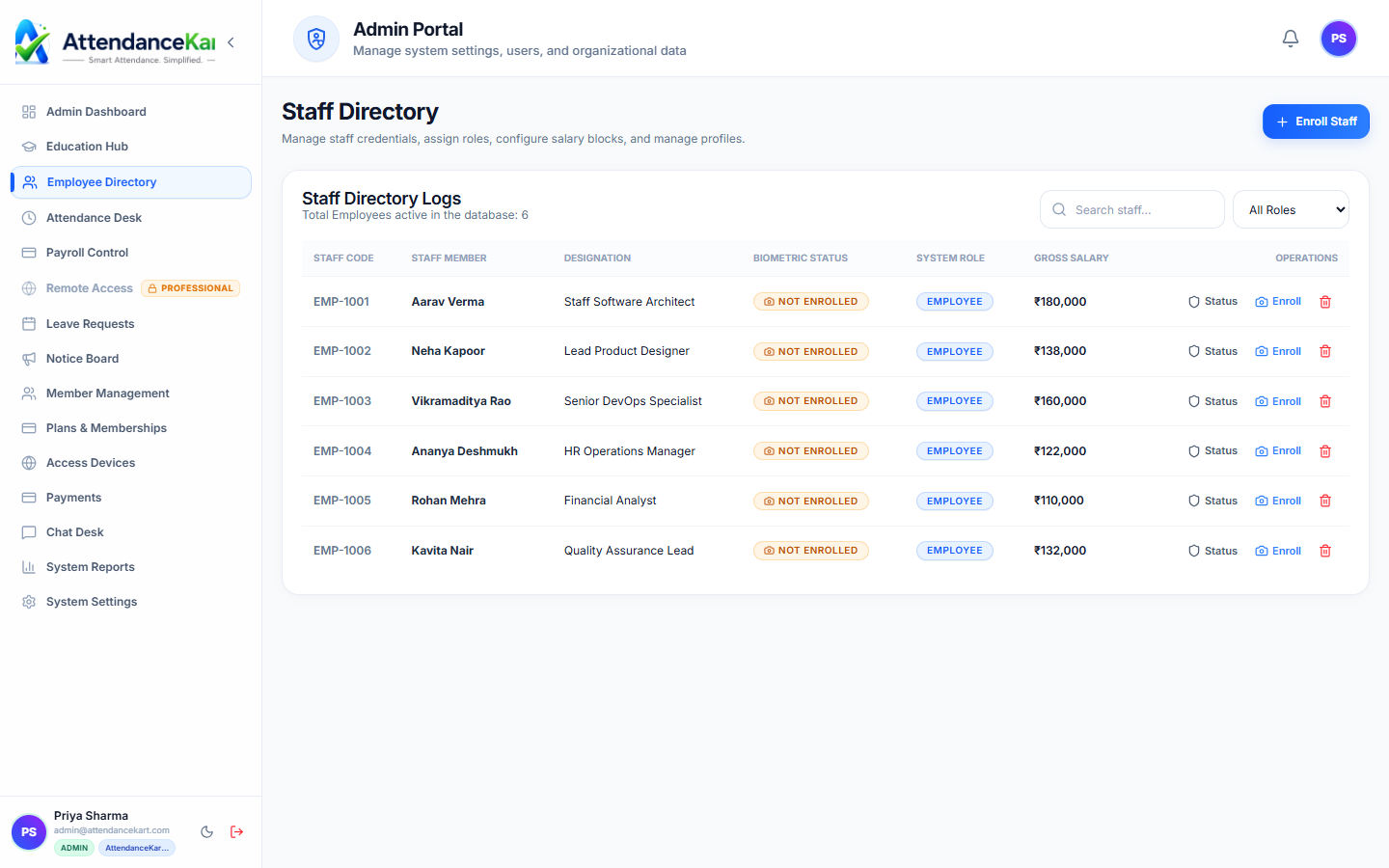
Complete Staff Roster & Profile Management
Maintain accurate employee records with roles, departments, salary packages, and biometric verification status.
- Centralized staff directory with search and filter capabilities
- Biometric enrollment tracking and status verification
- Role-based access control and administrative permissions
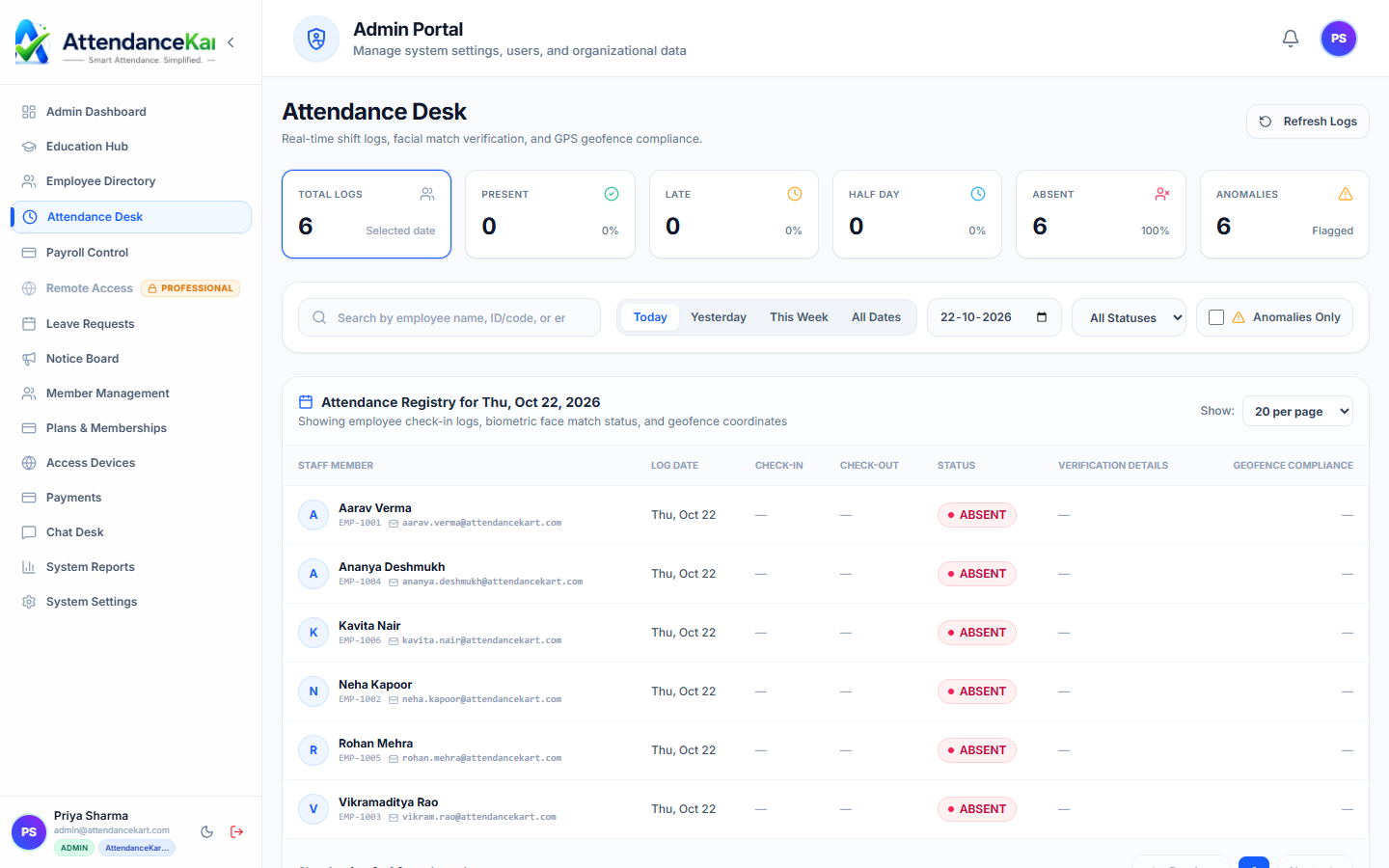
Live Attendance Desk with Verification Tagging
Monitor daily attendance events with high-precision timestamps and tamper-evident audit trails.
- Instant clock-in and clock-out logs from mobile, biometric, and web
- Automated flag detection for tardiness and shift anomalies
- One-click export to payroll processing
How Class Timetables & Schedules Operates
Designed to eliminate manual overhead and maintain flawless operational records.
Configure Daily Period Slots
Set institution period timings (e.g., Period 1: 09:00 - 10:00, Period 2: 10:00 - 11:00).
Slot Subject & Instructor
Coordinator selects a period slot and assigns course, faculty teacher, and room.
Conflict Verification
System verifies instructor and room availability, flagging any overlapping bookings.
Publish Campus Schedule
The schedule goes live on faculty and student portals for daily operational use.
Benefits for Your Organization
Direct operational improvements backed by automated record-keeping.
Operational Benefit 01
Eliminates humiliating classroom and instructor scheduling conflicts.
Operational Benefit 02
Optimizes physical campus room and laboratory asset utilization.
Operational Benefit 03
Ensures every required course receives its designated weekly teaching hours.
Operational Benefit 04
Gives students and teachers 24/7 mobile access to their daily lecture schedules.
Connected to Class Timetables & Schedules
AttendanceKart works as an integrated suite. Discover other modules that expand your setup.
Frequently Asked Questions about Class Timetables & Schedules
Realistic answers based on actual software capabilities and deployment options.
Does the system prevent double-booking a teacher who teaches in multiple departments?
Yes. The conflict detection engine operates campus-wide, preventing an instructor from being assigned to two classes simultaneously.
Can substitute teachers be assigned if the primary instructor is on leave?
Yes. Coordinators can assign a substitute teacher for specific dates without overwriting the master recurring schedule.
Can multi-period lab practicals be scheduled across consecutive slots?
Yes. Consecutive period slots can be merged into single continuous practical blocks for laboratory subjects.
Deploy Class Timetables & Schedules for your organization
Experience real-time verification, transparent records, and seamless operations firsthand.