Cohort Organization, Section Capacity, and Mentor Assignments
Divide graduating batches into balanced classroom sections, enforce student capacity limits, and assign dedicated faculty mentors.
Live screenshot captured directly from the actual AttendanceKart admin portal.
Built for real operations, not theoretical spreadsheets.
Operational challenge:Batches & Sections organizes enrolled students of an academic program into year cohorts and manageable classroom sections (e.g., Batch 2026, Section A & B) with assigned mentors.
Intended administrators:Academic Coordinators, Class Mentors, Student Registrars
Year Batch Grouping
Group students by matriculation year and expected graduation year (e.g., Class of 2028).
Section Division & Balancing
Divide large cohorts into manageable classroom sections (Section A, B, C) with balanced counts.
Maximum Capacity Limits
Set classroom seating caps per section to prevent over-enrollment in specific divisions.
Class Teacher & Mentor Links
Assign dedicated faculty members as primary mentors for each classroom section.
Explore Batches & Sections Capabilities
Every feature below links directly to live screens in the AttendanceKart portal.
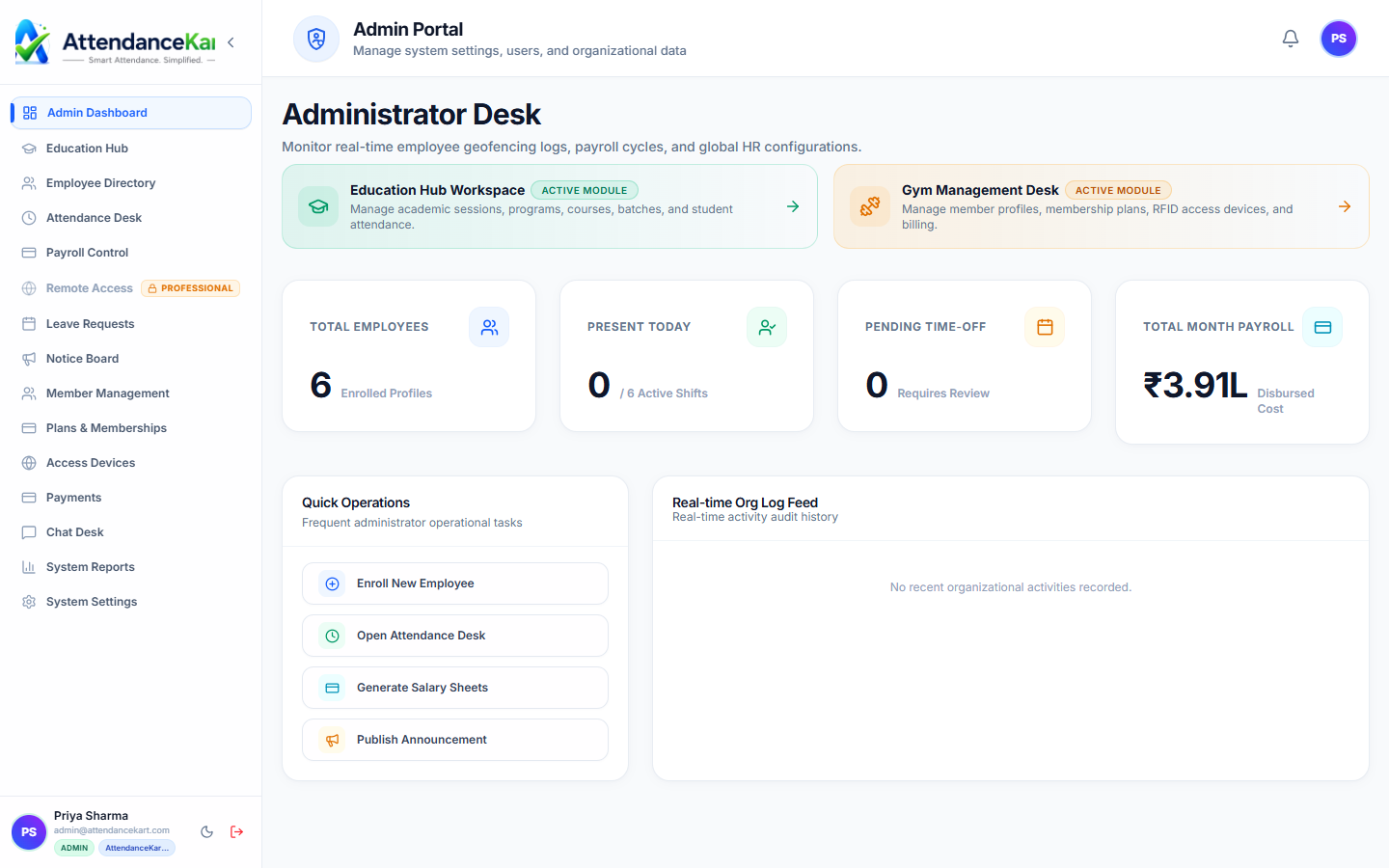
Executive Workforce Operations Dashboard
Gain complete visibility over your organization with real-time telemetry, employee statuses, and shift performance.
- Live workforce indicators and shift adherence metrics
- Department-level distribution and attendance percentages
- Immediate action buttons for pending approvals and notifications
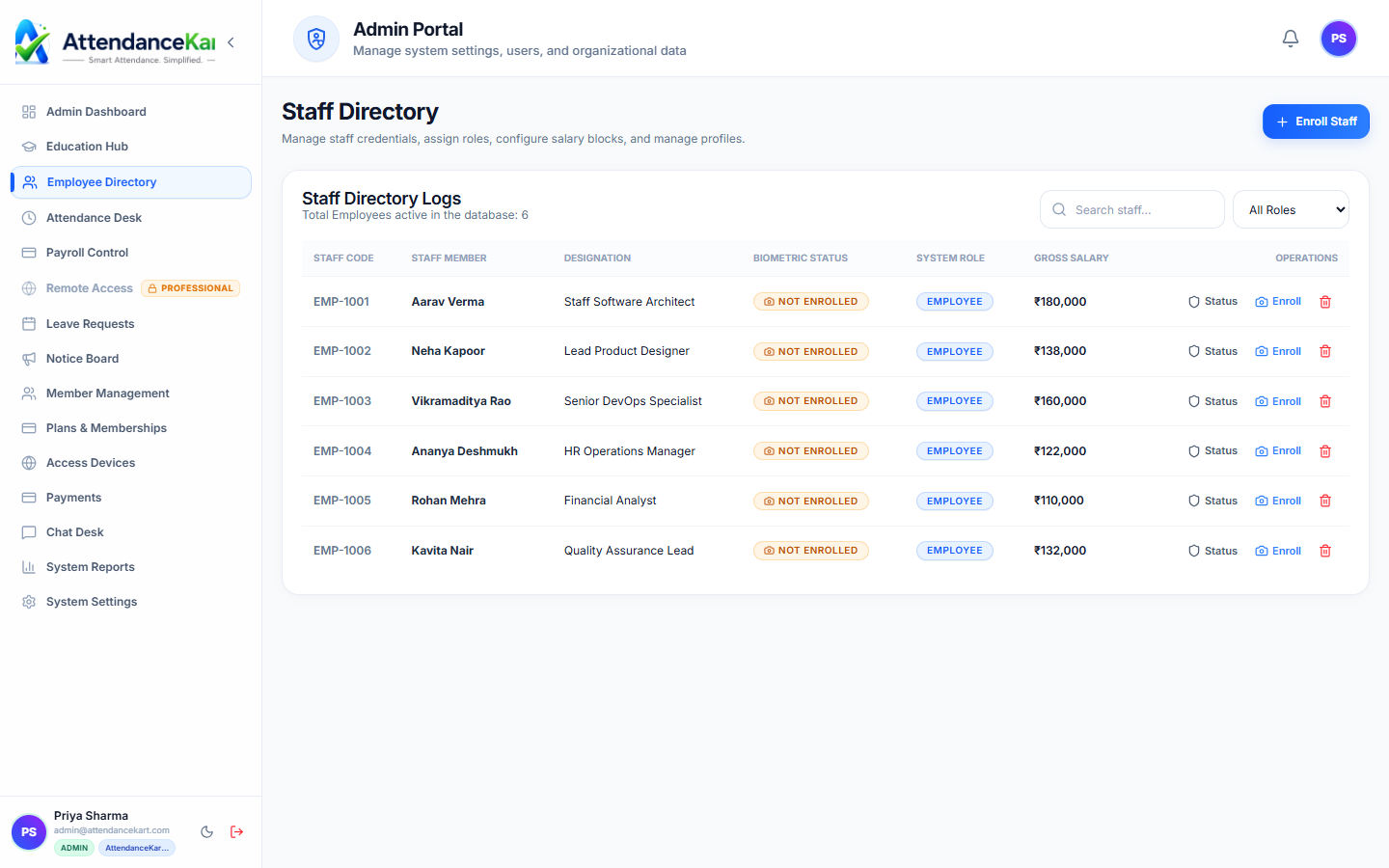
Complete Staff Roster & Profile Management
Maintain accurate employee records with roles, departments, salary packages, and biometric verification status.
- Centralized staff directory with search and filter capabilities
- Biometric enrollment tracking and status verification
- Role-based access control and administrative permissions
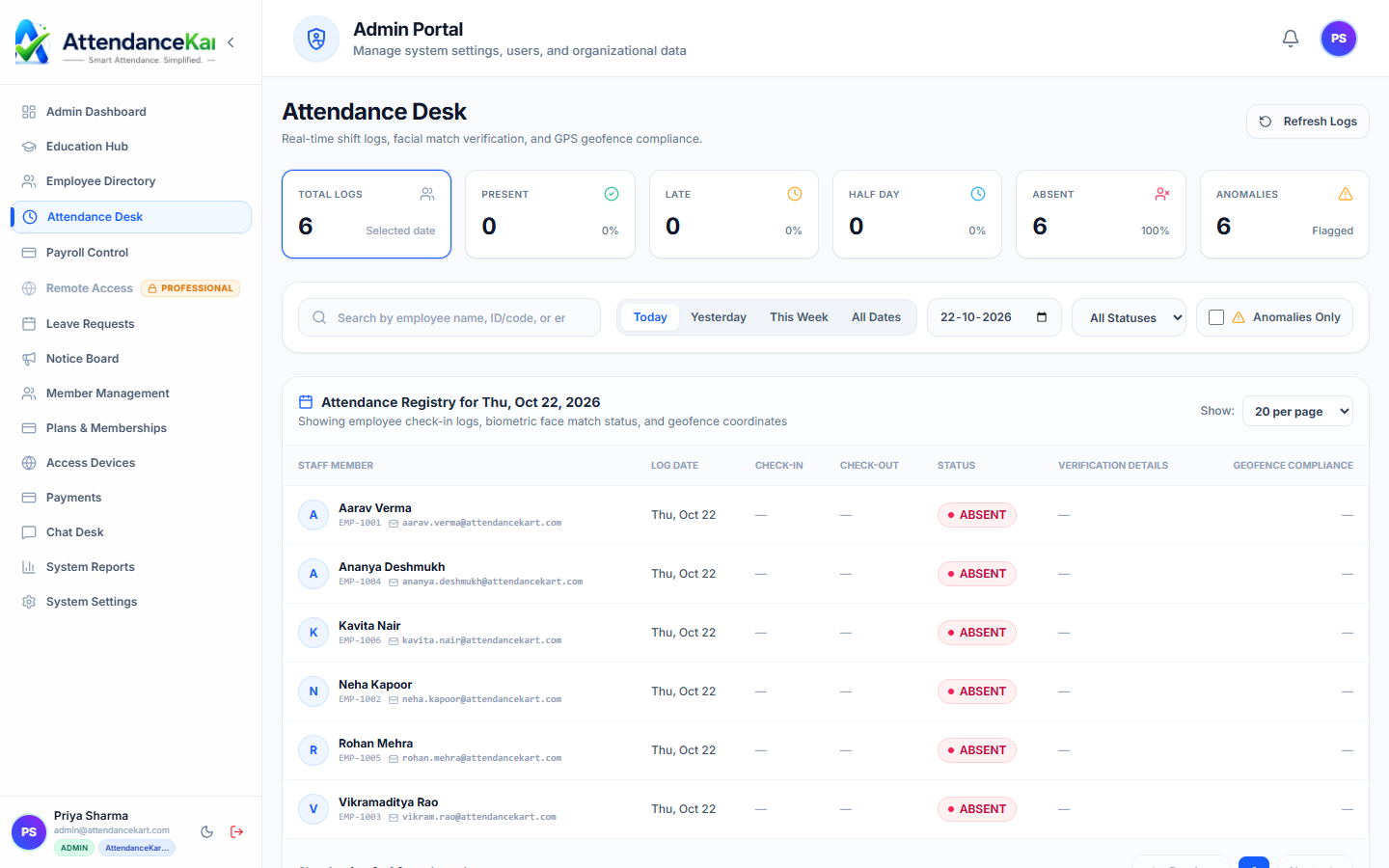
Live Attendance Desk with Verification Tagging
Monitor daily attendance events with high-precision timestamps and tamper-evident audit trails.
- Instant clock-in and clock-out logs from mobile, biometric, and web
- Automated flag detection for tardiness and shift anomalies
- One-click export to payroll processing
How Batches & Sections Operates
Designed to eliminate manual overhead and maintain flawless operational records.
Define Year Batch
Coordinator creates the intake batch linked to an academic program (e.g., B.Tech CS 2026).
Create Sections
Specify sections (A, B, C) and set student capacity limits per classroom.
Assign Students
Enrolled students are placed into sections via automated distribution or manual allocation.
Assign Faculty Mentor
A class mentor is appointed to oversee attendance and student academic progress.
Benefits for Your Organization
Direct operational improvements backed by automated record-keeping.
Operational Benefit 01
Prevents overcrowded classrooms by strictly monitoring section capacities.
Operational Benefit 02
Simplifies scheduling by enabling distinct timetables for different sections.
Operational Benefit 03
Provides students with a dedicated faculty mentor point of contact.
Operational Benefit 04
Maintains clean cohort histories as students progress through multi-year degrees.
Connected to Batches & Sections
AttendanceKart works as an integrated suite. Discover other modules that expand your setup.
Frequently Asked Questions about Batches & Sections
Realistic answers based on actual software capabilities and deployment options.
Can students be moved from one section to another mid-semester?
Yes. Administrators can transfer a student to another section, with past attendance records preserved.
Can sections have different weekly timetables for the same subjects?
Yes. Each section has its own independent weekly timetable, preventing faculty and room double-bookings.
Can class mentors view attendance specifically for their own section?
Yes. Mentors receive targeted dashboards displaying attendance and absentee trends for their assigned section.
Deploy Batches & Sections for your organization
Experience real-time verification, transparent records, and seamless operations firsthand.