Admissions Processing, Batch Allocations, and Matriculation Status
Streamline the journey from applicant to enrolled student with document verification, fee clearance tracking, and batch section assignment.
Live screenshot captured directly from the actual AttendanceKart admin portal.
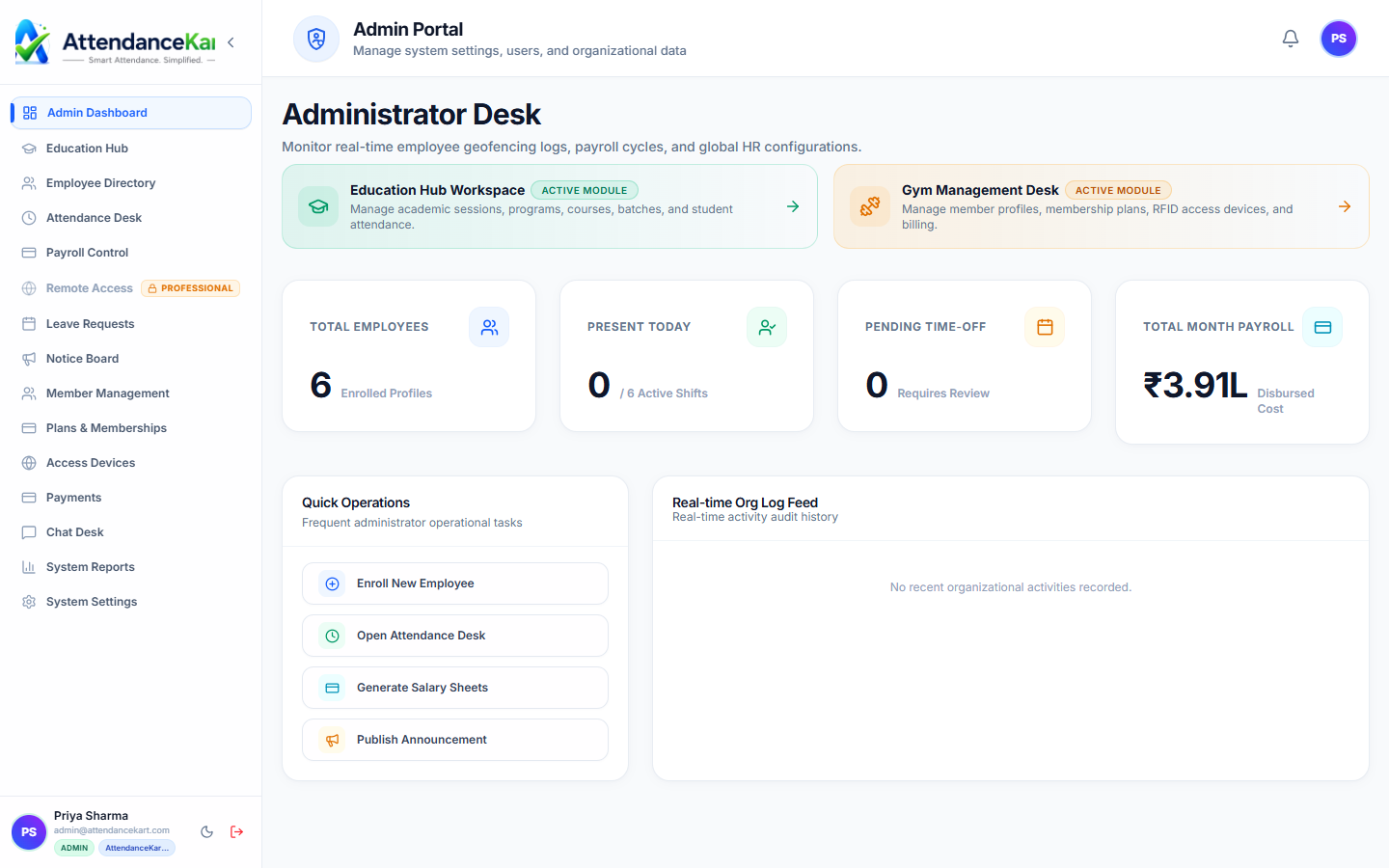
Built for real operations, not theoretical spreadsheets.
Operational challenge:Student Enrolments manages the intake and matriculation lifecycle of incoming candidates, transitioning approved applicants into registered students assigned to batches.
Intended administrators:Admissions Officers, Registrars, Academic Counselors, Finance Teams
Enrolment Lifecycle Tracking
Track candidate status through Applied, Verified, Fee Paid, Enrolled, or Cancelled stages.
Automated Roll Number Generation
Assign sequential or departmental institutional registration numbers upon enrollment.
Batch & Program Assignment
Place matriculating students directly into their designated program year batch and section.
Document Verification Milestones
Check off required certificates, transfer documents, and identity verifications.
Explore Student Enrolments Capabilities
Every feature below links directly to live screens in the AttendanceKart portal.
Executive Workforce Operations Dashboard
Gain complete visibility over your organization with real-time telemetry, employee statuses, and shift performance.
- Live workforce indicators and shift adherence metrics
- Department-level distribution and attendance percentages
- Immediate action buttons for pending approvals and notifications
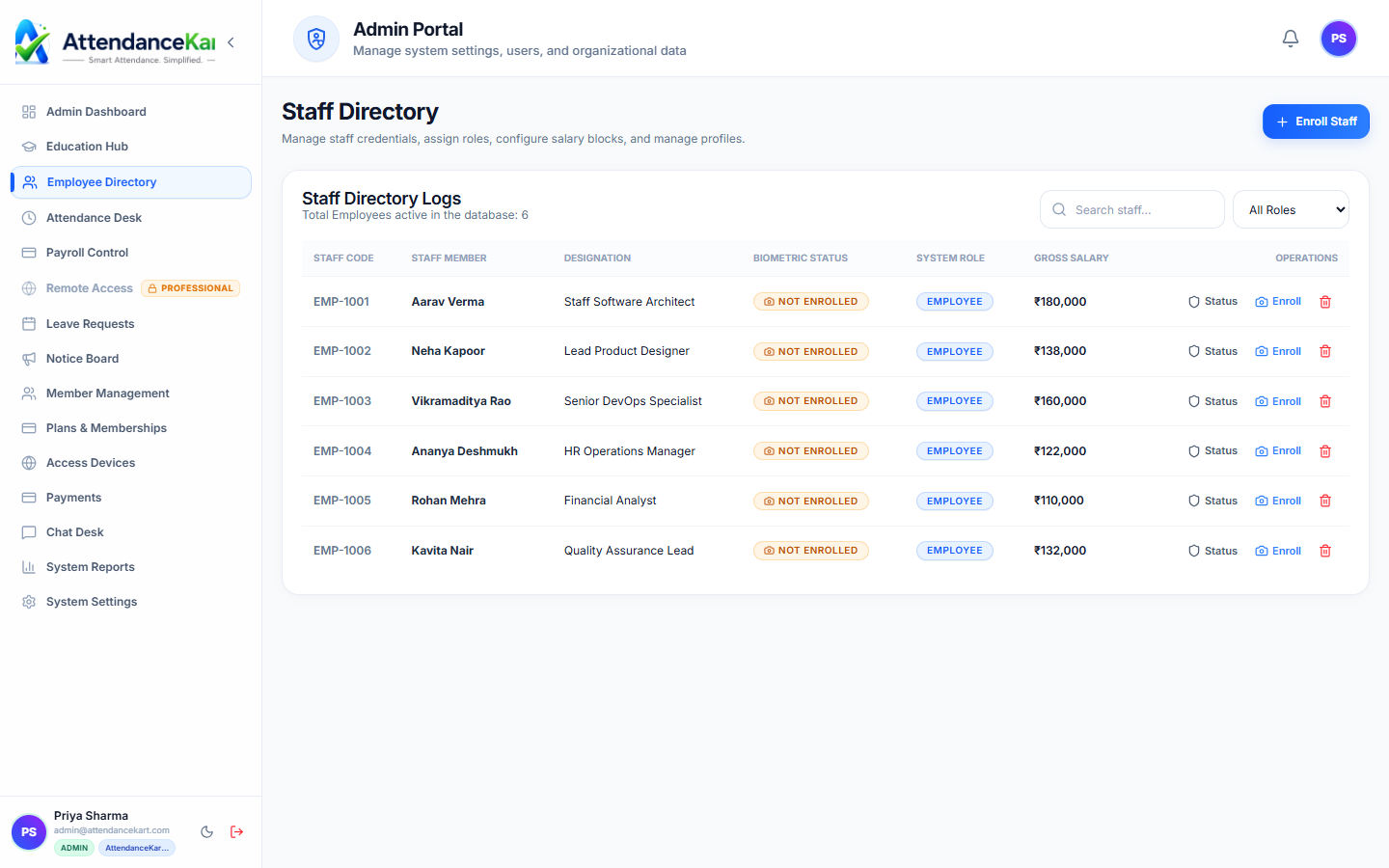
Complete Staff Roster & Profile Management
Maintain accurate employee records with roles, departments, salary packages, and biometric verification status.
- Centralized staff directory with search and filter capabilities
- Biometric enrollment tracking and status verification
- Role-based access control and administrative permissions
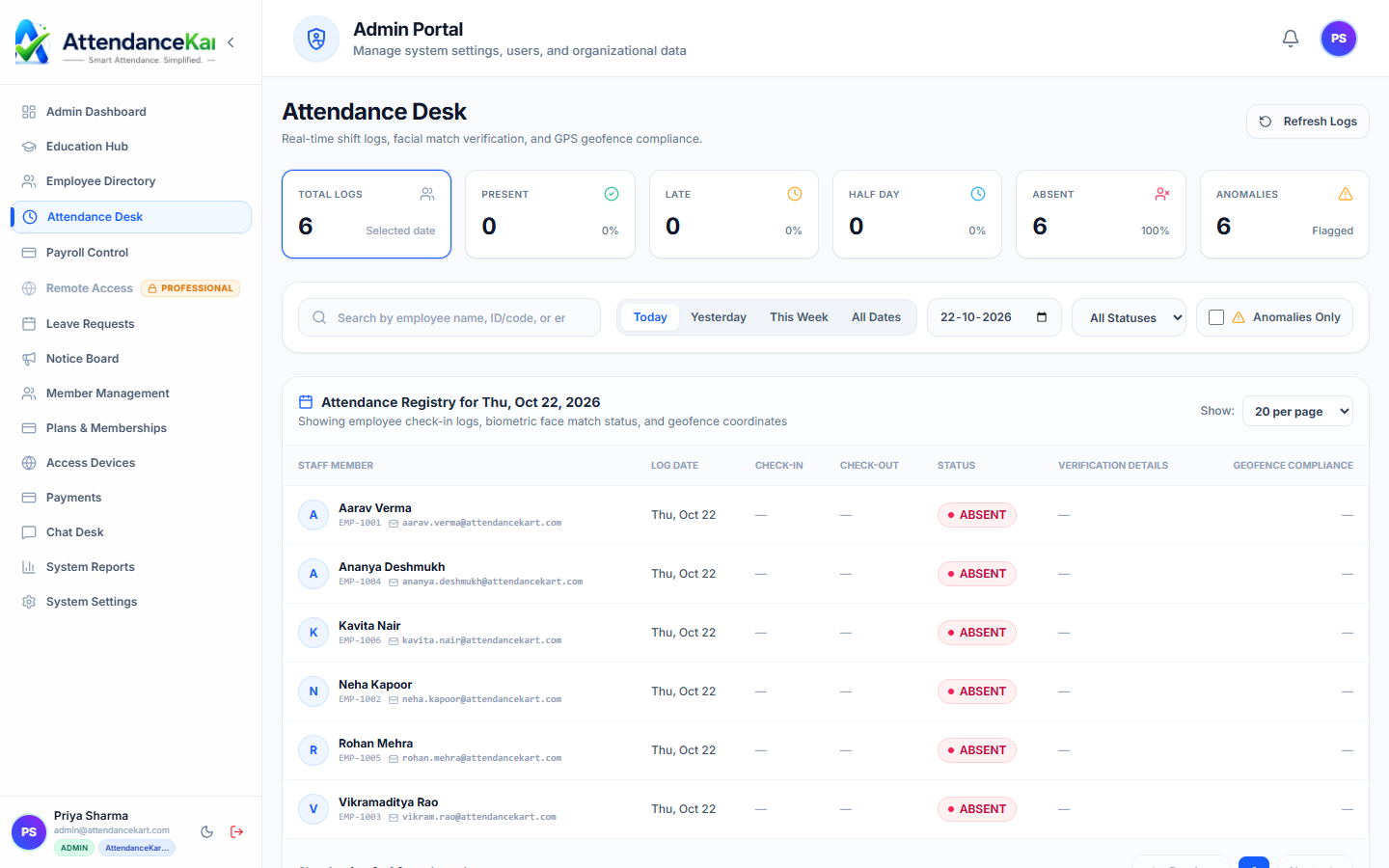
Live Attendance Desk with Verification Tagging
Monitor daily attendance events with high-precision timestamps and tamper-evident audit trails.
- Instant clock-in and clock-out logs from mobile, biometric, and web
- Automated flag detection for tardiness and shift anomalies
- One-click export to payroll processing
How Student Enrolments Operates
Designed to eliminate manual overhead and maintain flawless operational records.
Candidate Application Verified
Admissions staff review academic eligibility credentials and required documents.
Enrollment Approved
Staff confirm seat allocation and verify mandatory admission fee clearance.
Roll Number Generated
System creates official Student Directory profile with unique institutional ID.
Section Allocated
Candidate is added to their batch section roster, enabling timetable and attendance access.
Benefits for Your Organization
Direct operational improvements backed by automated record-keeping.
Operational Benefit 01
Eliminates confusion during busy annual student admissions intake seasons.
Operational Benefit 02
Guarantees all mandatory certificates and fees are verified before formal enrollment.
Operational Benefit 03
Provides real-time visibility into filled versus vacant seats across all degree programs.
Operational Benefit 04
Automatically populates the Student Directory and classroom attendance rosters without manual re-entry.
Connected to Student Enrolments
AttendanceKart works as an integrated suite. Discover other modules that expand your setup.
Frequently Asked Questions about Student Enrolments
Realistic answers based on actual software capabilities and deployment options.
Can institutions import enrolled students in bulk from spreadsheet lists?
Yes. Bulk CSV upload tools allow admissions teams to import entire intake batches in minutes.
What happens if an enrolled student cancels their admission before classes start?
Staff can mark the status as Withdrawn, releasing the seat quota while retaining an auditable record.
Can enrollment requirements differ between undergraduate and postgraduate programs?
Yes. Admission criteria, required document checklists, and seat limits are configured per academic program.
Deploy Student Enrolments for your organization
Experience real-time verification, transparent records, and seamless operations firsthand.